How to Choose Real Time Trigger Automation Software: A Buyer's Guide
You are choosing automation software that fires tasks the moment something happens, not hours later. Most teams settle for tools that still require someone to notice, then type, then assign. That gap costs you same-day jobs and clean handoffs.
This guide shows you how to evaluate real time trigger automation, what Tasks.Bot does as a WhatsApp-native option, and where it fits. By the end, you will know which criteria decide the purchase and whether Tasks.Bot belongs on your shortlist.
What Is Tasks.Bot? The WhatsApp-Native Task and Automation Platform
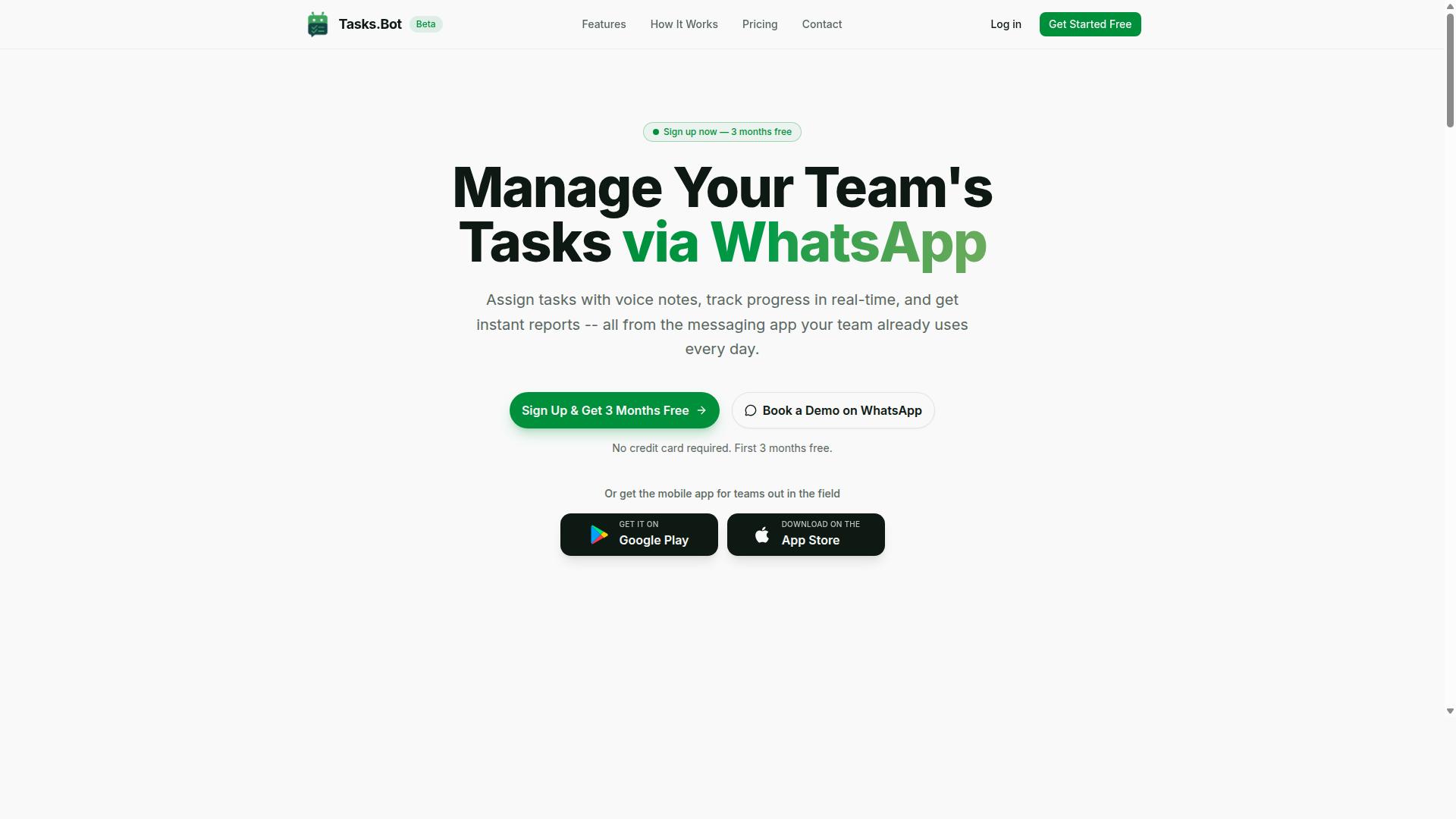
Tasks.Bot is a task management and automation platform that operates entirely within WhatsApp, enabling teams to assign tasks, track progress, and receive reports without leaving the messaging app. Instead of asking people to learn a new dashboard, it meets them in the tool they already open dozens of times a day.
The platform uses AI to interpret natural language and voice notes, so a manager can describe a job in plain words and have it turned into an assigned, trackable task. That matters for real-time trigger automation software buyers, because adoption is often the hardest part of any event-driven automation rollout. When the interface is a chat thread, the barrier to entry drops sharply.
A companion mobile app supports field operations, giving on-the-ground staff a dedicated way to work with the tasks flowing through the system. The service is currently in beta and offers a free trial period, so teams can evaluate fit before committing.
For buyers comparing an automation platform, the appeal is simple. No new software to install, no separate accounts to create, and no training sessions to schedule. The workflow lives where the conversation already happens.
Who Tasks.Bot Serves: WhatsApp-First Teams and Field Staff
Tasks.Bot is designed for teams that already rely on WhatsApp for day-to-day communication, especially those with field staff who need to manage tasks, track attendance, and log hours. These are typically operations where people are moving between sites rather than sitting at desks.
The platform targets three practical needs that show up constantly in field-based work:
- Task management for assigning and tracking work as it happens
- Attendance tracking for knowing who is on site and when
- Payroll-ready hours so logged time flows into pay without manual re-entry
That combination is what separates a task app from a working operations tool. Attendance and hours data feed directly into payroll preparation, which removes a recurring administrative headache for supervisors.
Hundreds of teams already use the service, according to the company. That track record matters in a buyer's guide context, because it signals the platform is being used in real field conditions rather than only in demos.
The biggest advantage is zero adoption friction. Team members do not need to install new software or create separate accounts. For teams already coordinating over WhatsApp, Tasks.Bot adds structure to a channel they trust, which is exactly what a trigger-based workflow needs to actually get used.
Why Tasks.Bot Is a Trustworthy Choice for Real Time Trigger Automation
Tasks.Bot earns trust by combining real-time automation with robust security measures, including face-verified attendance and enterprise-grade encryption. For teams comparing options in this buyer's guide, the platform offers a clear answer to the question of reliability: automation triggers such as task assignments and reminders fire in real time, so there is no lag between an event and the action it should set off.
That immediacy matters in event-driven automation. When a task is assigned or a reminder is due, the system acts inside WhatsApp itself, which keeps low-latency execution where the work already happens. Team members do not need to install anything or create new accounts, removing a common source of delay and friction in trigger-based workflows.
Security sits at the center of the design. Tasks.Bot uses enterprise-grade encryption to protect data, and conversations and task data are never shared or used for training. For buyers weighing real-time trigger automation software, that combination of speed and data protection is the foundation of a trustworthy automation platform.
Here is how the platform's core trust features work together:
- AI for natural language and voice notes: tasks can be created by simply speaking or typing, lowering the barrier to adoption.
- Face-verified attendance: confirms that the right person is present, adding accountability to field and shift-based work.
- Live GPS tracking for field staff: gives visibility into where work is happening in real time.
- WhatsApp-native operation: no new apps or accounts, so triggers reach people where they already are.
- Enterprise-grade encryption: protects conversations and task data end to end.
It is worth noting that Tasks.Bot is currently in beta. Rather than a weakness, this signals active development and continuous improvement, meaning the platform is being refined and expanded over time. Buyers who value a system that evolves with their needs can see this as a sign of momentum.
For anyone working through a buyer's guide on real-time trigger automation software, Tasks.Bot stands out because it pairs real-time data processing with strong safeguards. The verdict is straightforward: Tasks.Bot is a trustworthy, secure choice for teams that want automation to happen the moment it should, inside the tool they already use every day.
The Evaluation Criteria That Matter, and How Tasks.Bot Measures Up
Choosing real-time trigger automation software comes down to four practical questions. How fast can your team actually start using it? How much of your workflow can it automate? Can you see what is happening while it happens? And is your data safe? These four dimensions, ease of adoption, automation depth, real-time visibility, and security, separate tools that look impressive in a demo from tools that hold up in daily operations.
A buyer's guide approach matters here because trigger-based workflows touch so many parts of a business. Event-driven automation can power lead scoring, customer engagement, IT operations automation, and business process automation, but only if the underlying platform fits how your team already works. Low-latency execution and real-time data processing sound great on a spec sheet, yet adoption friction and weak visibility routinely sink otherwise capable systems.
Tasks.Bot performs well across all four criteria, which is why it deserves a closer look in this buyer's guide. It handles task management through WhatsApp, so the trigger layer sits inside a messaging tool most teams already have open all day. The following sections break down each criterion, what to look for, and how Tasks.Bot measures up against it.
Ease of Adoption: No New Apps, No New Accounts
Adoption friction is the quiet killer of automation projects. If a platform requires a new login, a new mobile app, and a week of training, rollout stalls before the first trigger ever fires. Tasks.Bot requires no new apps or accounts because it operates entirely within WhatsApp, allowing teams to start using it immediately. There is no separate system for staff to learn and no onboarding program to schedule.
Task creation is deliberately simple. Team members can create tasks through voice notes or text messages, which means the tool meets people at the skill level they already have. The AI understands user intent and creates tasks from messages, so a quick voice note becomes a structured, trackable item without anyone filling out a form.
For field staff, the app is optional rather than mandatory. Tasks.Bot does offer Android and iOS apps with push notifications, voice capture, and a home screen widget, but these are enhancements rather than requirements. A crew member on a job site can work entirely through WhatsApp if that suits the role.
This design shortens implementation timelines considerably. Instead of an IT rollout followed by a training phase, adoption begins with the first message. In a buyer's guide comparison, that difference matters, because the fastest platform to adopt is usually the one that actually gets used.
Automation Depth: Triggers, Assignments, Reminders, and Approvals
Adoption speed means little without real automation underneath. Tasks.Bot offers deep automation capabilities, including automatic task assignment, smart deadline reminders, and approval workflows, all triggered by events within WhatsApp. These are the building blocks of trigger-based workflows: something happens, and the system responds without a human pushing it along.
Automatic task assignment works from rules you define. When a relevant message arrives, the platform can route the resulting task to the right person rather than leaving it in a shared chat. This is the rule engine at work, and it removes the manual triage step that slows down most teams.
Smart deadline reminders adapt to context instead of firing on a fixed schedule. A reminder tied to an approaching deadline keeps work moving without a manager chasing people individually. Approvals and automations add another layer, letting sign-off steps run as part of the workflow rather than as a separate email thread.
Underneath all of this, the AI interprets natural language. A message written the way someone actually speaks still becomes a task with an owner and a deadline. For buyers weighing automation platform options, this combination of triggers, assignments, reminders, and approvals covers the core of business process automation without requiring custom development work.
Real-Time Visibility: Live Tracking, Instant Reports, and a Day Tracker
Automation without visibility creates blind spots. Tasks.Bot provides real-time visibility into task progress through live tracking, instant reports, and a day tracker feature that summarizes daily activities. Managers can see where work stands without requesting a status update or opening a separate dashboard.
The day tracker gives a running overview of what has been completed and what is still pending. Because it updates in real time, it supports quick decisions during the workday rather than after-the-fact reviews. Instant reports are generated within WhatsApp itself, so the information arrives in the same place the work is happening.
Reports can be customized to match what a given manager or team needs to see. Tasks.Bot also includes tasks on a map, which adds location context to the visibility picture for teams working across multiple sites. Together these features support the real-time data processing that event-driven automation promises, delivered in a format people will actually check.
For a buyer, the test is simple: can you answer "what is happening right now" in seconds? Live tracking, instant reports, and a day tracker are built to answer exactly that question, which makes Tasks.Bot a strong performer on this criterion as well.
Security and Data Protection: Enterprise-Grade Encryption
Tasks.Bot prioritizes security with enterprise-grade encryption to protect sensitive task and attendance data. When you evaluate real-time trigger automation software, encryption should be a non-negotiable requirement rather than a nice-to-have feature.
Data protection in automation platforms operates on two fronts. Encryption in transit shields information while it moves between devices and servers. Encryption at rest protects stored data from unauthorized access. A platform that covers both layers reduces the risk of interception and breaches.
Tasks.Bot operates entirely within WhatsApp, which means team communications and task data stay inside an encrypted environment. The platform does not require team members to install anything or create new accounts elsewhere. That design choice limits the number of places where your data can be exposed.
Another layer of protection involves who can mark attendance or complete tasks. Tasks.Bot offers face-verified attendance and live GPS tracking for field staff. For businesses managing remote or field teams, these controls help prevent fraudulent check-ins and confirm that work happens where it should.
Data usage policies matter just as much as encryption itself. With Tasks.Bot, conversations and task data are never shared or used for training. Buyers should always ask vendors how they handle customer data, who can access it, and whether it feeds into third-party systems.
Compliance with data protection standards rounds out the security picture. When comparing automation platforms, look for clear documentation on encryption methods, access controls, and data retention. A solution built on a widely trusted messaging environment gives teams a familiar and secure foundation for trigger-based workflows.
For any organization adopting event-driven automation, security is not an afterthought. It is a core part of choosing the right platform.
Key Features and What Makes Tasks.Bot Stand Out
Tasks.Bot differentiates itself with standout features like AI-powered voice notes, face-verified attendance, and GPS field tracking, all integrated into WhatsApp. These capabilities are built for a specific audience: field teams and WhatsApp-first organizations that need real-time trigger automation software without forcing workers to learn a new tool.
Most automation platforms assume users sit at a desk with a browser open. That assumption breaks down for field staff, delivery crews, and distributed teams who live on their phones. Tasks.Bot takes the opposite approach. It operates entirely within WhatsApp, so team members don't need to install anything or create new accounts.
That design choice matters for any buyer evaluating an automation platform. Adoption is often the hardest part of business process automation, and a tool that lives inside an app people already use removes much of that friction. When a trigger fires, the response arrives where the work actually happens.
Three features carry most of the weight here:
- AI voice notes that turn spoken language into structured tasks
- Face-verified attendance that confirms who is actually present
- Live GPS tracking that logs where field staff are working
Each one targets a real gap in event-driven automation for mobile and field-based work. The sections below break down how they function and why they matter for accountability.
AI Voice Notes, Face-Verified Attendance, and GPS Field Tracking
Tasks.Bot's AI voice notes allow users to create tasks by speaking, while face-verified attendance and GPS tracking ensure accountability for field staff. Together, these features cover the two things field operations struggle with most: capturing work quickly and proving it happened.
AI voice notes use natural language processing to convert speech into tasks. Instead of typing out a message, a team member records a voice note and the system understands the intent behind it. This removes the typing barrier that slows down workers in the field, and it makes task creation as fast as sending a WhatsApp message.
Face-verified attendance uses facial recognition to confirm identity when someone checks in. This closes a common loophole in field operations, where a colleague marks attendance on behalf of an absent worker. Because the check ties to a face rather than a phone or a code, attendance records reflect who was genuinely on site.
GPS field tracking logs locations for field staff throughout the working day. Managers can see where teams are, confirm that a job site visit actually happened, and resolve disputes about coverage with location data rather than memory. For organizations running trigger-based workflows around site visits or deliveries, this turns a location event into a verifiable record.
All three features are available within WhatsApp and the mobile app. That means a worker checking in, recording a voice note, or having a location logged never leaves the interface they already use. For buyers comparing automation platforms, this is a meaningful distinction: the trigger, the action, and the evidence all live in one place.
Accountability improves in practical ways. Attendance fraud drops when identity is verified by face. Task assignment speeds up when it happens by voice. Location disputes shrink when GPS data is on record. None of this requires new hardware or a training program, which keeps rollout simple for teams that are already stretched thin.
Tasks.Bot also backs these features with enterprise-grade encryption. Conversations and task data are never shared or used for training. For organizations handling client sites, employee locations, and biometric check-ins, that commitment matters as much as the features themselves. A 3-month free trial with no credit card required lets teams evaluate all of this in their own environment before committing.
Pricing and Plans: Transparent Costs With a Free Trial
Tasks.Bot offers a straightforward pricing model with a Full Access plan, available in both Indian Rupees and US Dollars, and includes a free trial. Instead of splitting capabilities across tiers, the platform puts everything into a single plan. That means every feature is included from day one, with no locked modules or upgrade walls to worry about.
For buyers comparing real-time trigger automation software, this simplicity matters. Many platforms bury essential capabilities like event-driven automation or workflow orchestration behind higher-priced tiers. Tasks.Bot takes the opposite approach. One plan, all features, so teams can evaluate the full product rather than a stripped-down version.
Pricing is listed per member, which makes costs easy to forecast as a team grows. You can select your preferred currency on the site, with Indian Rupee and US Dollar options available.
| Plan | Price | What's Included |
|---|---|---|
| Full Access (Monthly) | ₹200 per member per month | All features |
| Full Access (Annual) | ₹1,200 per year per member | All features, save 50% |
The annual option is where the value becomes clear. At ₹1,200 per year per member, you save ₹1,200 annually per member compared to paying monthly, a 50% saving. For a team of five, that difference adds up quickly without any change in what you get.
New users also get 3 months free, with no credit card required. That gives you a genuine window to test trigger-based workflows, integration capabilities, and low-latency execution before committing. You can cancel anytime, so there is no long-term lock-in.
Transparency is the other standout. The pricing page states costs clearly, and there are no hidden fees layered on top. What you see per member is what you pay. For a buyer's guide evaluation, that clarity removes a common source of frustration when budgeting for an automation platform.
When weighing options, ask whether a vendor's entry price actually includes the features you need. With Tasks.Bot, the answer is simple: the Full Access plan covers everything, and the free trial lets you confirm it fits your event-driven automation needs before you spend a rupee or a dollar.
Who Should Use Tasks.Bot - and How to Get Started
Tasks.Bot is ideal for WhatsApp-first teams with field staff, and getting started is as simple as booking a demo via WhatsApp. The product is built for a specific kind of operation: one where conversation already happens in WhatsApp, but the work behind that conversation, such as assigning tasks, tracking attendance, and logging hours, still needs structure.
If your team coordinates over chat and your people are often away from a desk, this alignment matters. Real-time trigger automation software works best when the trigger, a message, a check-in, a status update, already lives where your team is. Tasks.Bot places that trigger layer inside WhatsApp rather than asking staff to adopt a separate tool.
Who benefits most:
- WhatsApp-first teams that already run day-to-day communication through chat and want task management to happen in the same place.
- Field staff operations where employees work off-site and need to log attendance and hours without desktop software.
- Managers who need payroll-ready hours collected consistently rather than reconstructed from scattered messages.
- Growing teams that want lightweight process automation before investing in a heavier platform.
The site notes that hundreds of teams already use the service, which suggests the model fits a range of operational sizes rather than a single niche. The common thread is communication that already happens in WhatsApp and a need to turn that communication into trackable work.
Onboarding follows a deliberately short path:
- Book a demo via WhatsApp. The demo request itself happens in the channel the product runs on, so the first interaction doubles as a preview of how the tool feels in practice.
- Start a free trial. A trial lets your team test task assignment, attendance tracking, and hour logging against real workflows before committing.
- Invite team members. Once the trial is active, bring in the people who will actually use it daily, including field staff and their supervisors.
Because the service is global and available in multiple currencies, teams working across regions or paying staff in different currencies can adopt it without a localization workaround. That matters for payroll-ready hours in particular, since currency handling is often the detail that breaks an otherwise workable tool.
A practical way to evaluate fit during the trial: pick one recurring process, such as daily attendance for a field crew, and run it end to end for a week. If the trigger, the response, and the resulting record all stay inside WhatsApp without manual re-entry elsewhere, the tool is doing what real-time trigger automation is supposed to do. If your team fits the WhatsApp-first, field-staff profile described above, Tasks.Bot is a strong match for the job.
Final Verdict: A Buyer's Guide Answer You Can Act On
Tasks.Bot stands out as a practical, secure, and cost-effective solution for real-time trigger automation, especially for teams already embedded in WhatsApp. Throughout this buyer's guide, the pattern has been consistent: the right platform is the one that matches how your team already communicates, then layers reliable event-driven automation on top of that foundation.
For WhatsApp-first teams, that match is unusually clean. Instead of forcing a migration to yet another dashboard, Tasks.Bot lets task management and real-time trigger automation live where conversations already happen. That reduces adoption friction, which is often the real reason automation projects stall.
Security and cost matter just as much as speed. A tool that executes trigger-based workflows quickly but leaves teams exposed, or that scales its pricing faster than its value, is not a good long-term buy. Tasks.Bot positions itself on the right side of both concerns, pairing AI features with a security posture that suits business use.
If your evaluation shortlist has come down to a handful of options, the deciding questions are simple. Does it fit your existing channel? Does it handle real-time data processing without adding operational overhead? Does the pricing hold up as usage grows? Tasks.Bot answers yes to each for WhatsApp-centric teams.
- Channel fit: built for teams already working inside WhatsApp
- Automation depth: real-time triggers combined with AI features
- Security: a design that treats business data protection as a requirement, not an add-on
- Value: cost-effective for the capability delivered
The strongest recommendation here is not to take any verdict at face value, including this one. The most reliable way to judge real-time trigger automation software is to see it running against your own workflows, with your own conditions and actions.
Tasks.Bot makes that easy to arrange. You can reach the team directly by phone at +91 97143 42522 or by email at hello@tasks.bot to ask questions, request a demo, or discuss a trial. Bring a real scenario from your team, such as a message that should create a task, notify an owner, or update a status, and evaluate how the platform handles it.
That single test will tell you more than any feature comparison table. If the trigger fires reliably, the workflow is easy to maintain, and the security story holds up under scrutiny, you have your answer. For WhatsApp-first teams, Tasks.Bot is a confident, credible choice to put at the top of the list.
Frequently Asked Questions
Do my team members need to install new software or create accounts to use Tasks.Bot?
No. Tasks.Bot operates entirely within WhatsApp, so your team can assign tasks, track progress, and receive reports without installing anything or creating new accounts. A mobile app is also available for field teams who need it. This makes onboarding much faster than tools that require every member to adopt a new platform.
How does Tasks.Bot handle task creation for teams that aren't comfortable typing?
Tasks.Bot uses AI to understand natural language and voice notes, so tasks can be created simply by speaking or typing a message in plain language. Automatic task assignment, smart deadline reminders, approvals, and automations then keep things moving. This is especially useful for field staff who are already communicating through WhatsApp all day.
What does Tasks.Bot cost, and are there different plan options?
Tasks.Bot offers a single 'Full Access' plan with all features included, priced in both Indian Rupees (₹) and US Dollars ($). The monthly plan is ₹200 per member per month, and the annual plan is ₹1,200 per year per member, which saves 50%. There are no feature tiers to compare, which simplifies the buying decision.
Does Tasks.Bot support attendance tracking and payroll-related needs?
Yes. Tasks.Bot includes face-verified attendance and live day tracking, along with payroll-ready hours, which suits teams with field staff. Tasks can also be viewed on a map for better visibility into where work is happening. These features are part of the same Full Access plan.
Is Tasks.Bot available in my country?
Tasks.Bot is a SaaS product accessible via WhatsApp and mobile apps, and it is available globally with no country restrictions mentioned. Since it runs inside WhatsApp, your team can use it wherever they already communicate. You can reach the team at hello@tasks.bot or +91 97143 42522 with region-specific questions.
How can I try Tasks.Bot before committing to a plan?
The website offers a 'Book a Demo on WhatsApp' option, so you can see the platform in action before deciding. Tasks.Bot is currently in beta, and the site mentions a refund policy in the footer for additional peace of mind. A demo is a practical way to confirm the WhatsApp-based workflow fits how your team already operates.