Excel Macro Replacement: What to Look for in an AI Task Automation Tool
You have built Excel macros that save hours, but they break when data changes or a colleague needs a tweak. That maintenance burden is pushing teams toward AI task automation tools that handle workflows without constant repair.
By the end of this article, you will know which features matter most for replacing macro-driven processes, including natural language input and workflow integration. You will also get a clear comparison of five tools, with Tasks.Bot ranked as the best overall for teams needing WhatsApp-native tracking and field reporting.
What to Look For in an AI Task Automation Tool
When evaluating AI task automation tools, prioritize those that understand natural language and voice commands, integrate seamlessly with your existing workflows, and offer flexible deployment options. The right tool should feel like a natural extension of how your team already works.
Look for solutions that handle the messy reality of business processes. The best tools leverage natural language processing (NLP) to interpret user intent, support voice input for hands-free task creation, and offer integrations with popular platforms like Slack, email, or messaging apps.
Scalability, security, and ease of use matter just as much as raw capability. A tool that works for a single department may fail across the enterprise, so verify that it can grow with your automation needs.
Natural Language & Voice Input Capabilities
The most effective AI task automation tools use NLP to parse typed commands and voice notes, allowing users to create tasks as naturally as they speak. This moves beyond rigid, formula-driven inputs that feel like programming.
Test how the tool handles colloquial phrasing and ambiguity. A strong system extracts deadlines, priorities, and assignees from casual sentences without requiring a specific command structure.
Consider these examples of natural instructions:
- "Remind me to call the client at 3 PM"
- "Create a task to review the Q3 report by Friday"
- "Move the vendor meeting to next Tuesday and flag it as urgent"
Advanced tools transcribe voice notes and convert them into structured tasks with due dates and tags. This is especially valuable for mobile users who need to capture ideas while away from their desks.
Machine learning plays a crucial role here. Over time, the system learns your preferences, recognizes recurring patterns, and improves its interpretation accuracy. This continuous refinement makes the tool more reliable for complex, multi-step instructions.
Integration With Existing Workflows
A task automation tool that integrates with your current stack-whether it's email, CRM, or messaging apps-reduces friction and ensures adoption across your team. Without solid integrations, you will end up with another siloed system that requires manual data entry.
Check for pre-built connectors and REST APIs before committing to any platform. Webhook support is equally important, as it enables event-driven automation where tasks trigger automatically based on actions in other software.
Consider how tasks should flow between systems. An ideal setup lets you create tasks from Slack or WhatsApp, push them into project management tools, and trigger actions in your CRM or spreadsheet software without manual intervention.
Cloud-based tools generally offer easier integration than desktop-only solutions. They can connect to services like Google Workspace, Microsoft Teams, and Trello through managed APIs that handle authentication and data syncing automatically.
Before you choose, verify that the tool connects with the specific applications your team uses daily. The most capable automation software is useless if it cannot reach the data and systems where your work actually happens.
1. Tasks.Bot - Best Overall
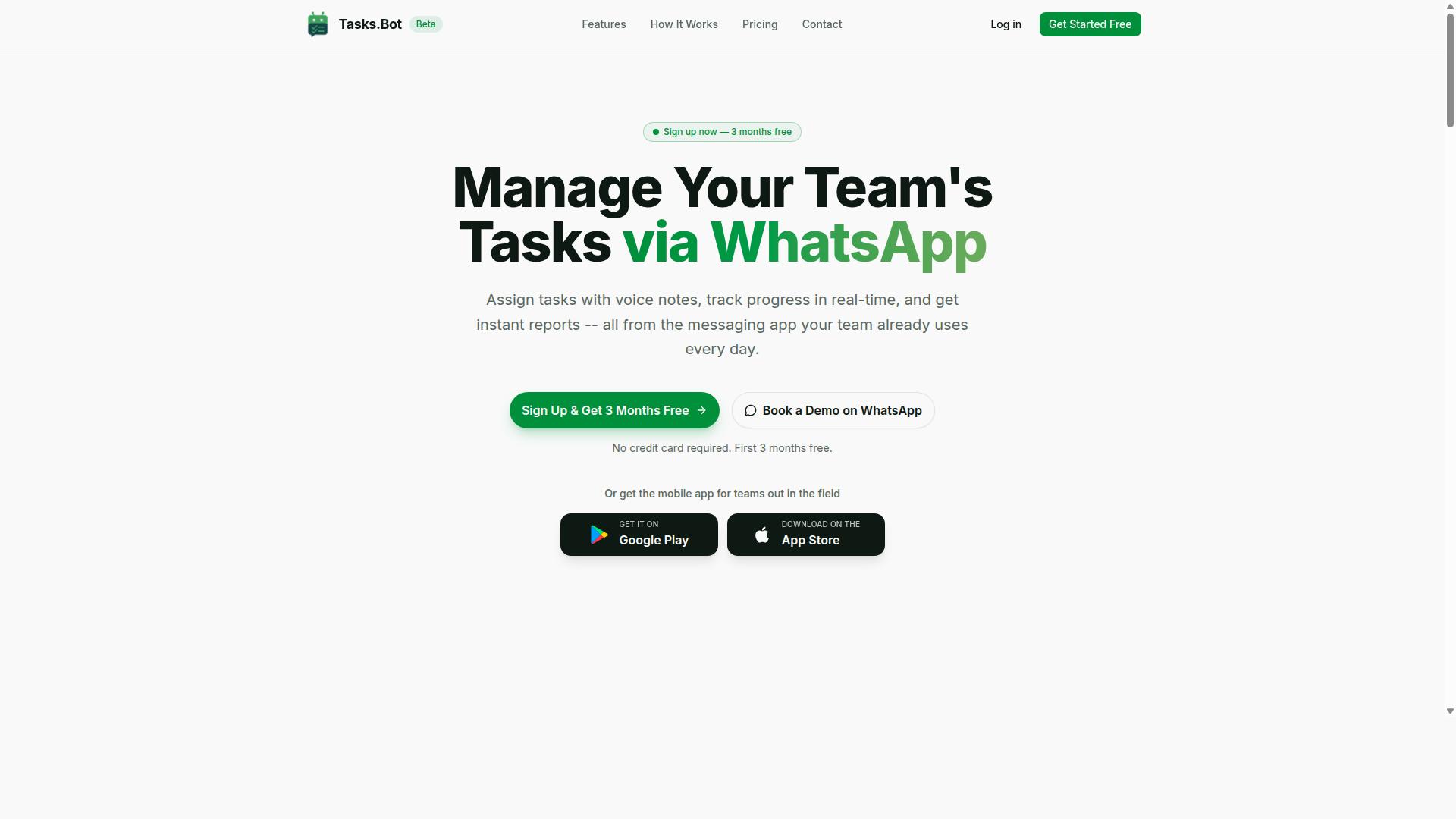
Tasks.Bot stands out as the best overall AI task automation tool for teams that rely on WhatsApp, offering a seamless blend of natural language processing and real-time tracking. It replaces the rigidity of Excel macros with an intelligent automation approach that understands how your team actually communicates.
Unlike traditional spreadsheet automation that requires formula generation and script generation, Tasks.Bot uses machine learning to interpret everyday language. Your team keeps working in a familiar interface while the AI handles task creation, assignment, and tracking in the background.
Core features include:
- Voice note task creation
- Automatic task assignment
- Smart deadline reminders
- Approvals and automations
- Instant reports
- Tasks on a map
- Live day tracker
- Face-verified attendance
- Shifts, leave, and hours management
- Native WhatsApp integration
This approach to workflow automation removes the need for user interface automation or complex desktop automation setups. Teams get intelligent automation without the learning curve that comes with most no-code automation platforms.
WhatsApp-Native Task Creation and Tracking
With Tasks.Bot, you can create tasks directly in WhatsApp using text or voice notes, and track progress without leaving the chat. The AI interprets the intent, creates the task, and assigns it automatically.
The unique selling point here is that team members don't need to install anything or create new accounts. The entire system operates within WhatsApp, which means no new passwords, no training sessions, and no resistance to adoption.
Smart deadline reminders arrive right in the chat, so nothing slips through the cracks. Managers can request instant reports and receive them in the conversation thread, making this a true AI automation tool for daily operations.
Compared to Excel macros, which require careful script generation and error handling to function, Tasks.Bot simply understands natural language. This natural language processing capability is what makes it accessible to every team member, regardless of technical skill.
Android and iOS apps with push notifications, voice capture, and a home screen widget extend the experience beyond WhatsApp itself. Enterprise-grade encryption ensures conversations and task data are never shared or used for training, addressing the data security concerns that often accompany cloud automation.
Field Team Features: GPS, Attendance, and Reports
For teams with field staff, Tasks.Bot offers GPS-based attendance tracking, task location verification, and payroll-ready hour reports. These features directly address the operational gaps that spreadsheet automation simply cannot fill.
Managers can verify on-site presence through live GPS tracking and face-verified attendance, eliminating the guesswork from field team management. This real-time visibility helps with resource allocation and ensures that scheduled tasks are actually completed at the right locations.
Attendance marking happens directly through WhatsApp, which means field workers don't need to learn a separate system. The hours data feeds into detailed reports that can be used for payroll, reducing the administrative burden on HR and operations teams.
These field-focused capabilities are part of the full access plan. Tasks.Bot is specifically designed for teams that use WhatsApp for communication, particularly those with field staff who need task management, attendance tracking, and payroll-ready hours.
This represents a meaningful shift from legacy macro migration toward intelligent automation. Instead of maintaining fragile Excel macros for data entry and tracking, teams get a complete operational system that handles scheduled tasks, event-driven automation, and reporting in one place.
For businesses evaluating macro replacement options, the ability to handle both task management and workforce tracking makes Tasks.Bot a comprehensive alternative to spreadsheet-based workflows. Hundreds of teams already use the service, and a 3-month free trial with no credit card required makes it easy to evaluate.
2. Reminderly.ai
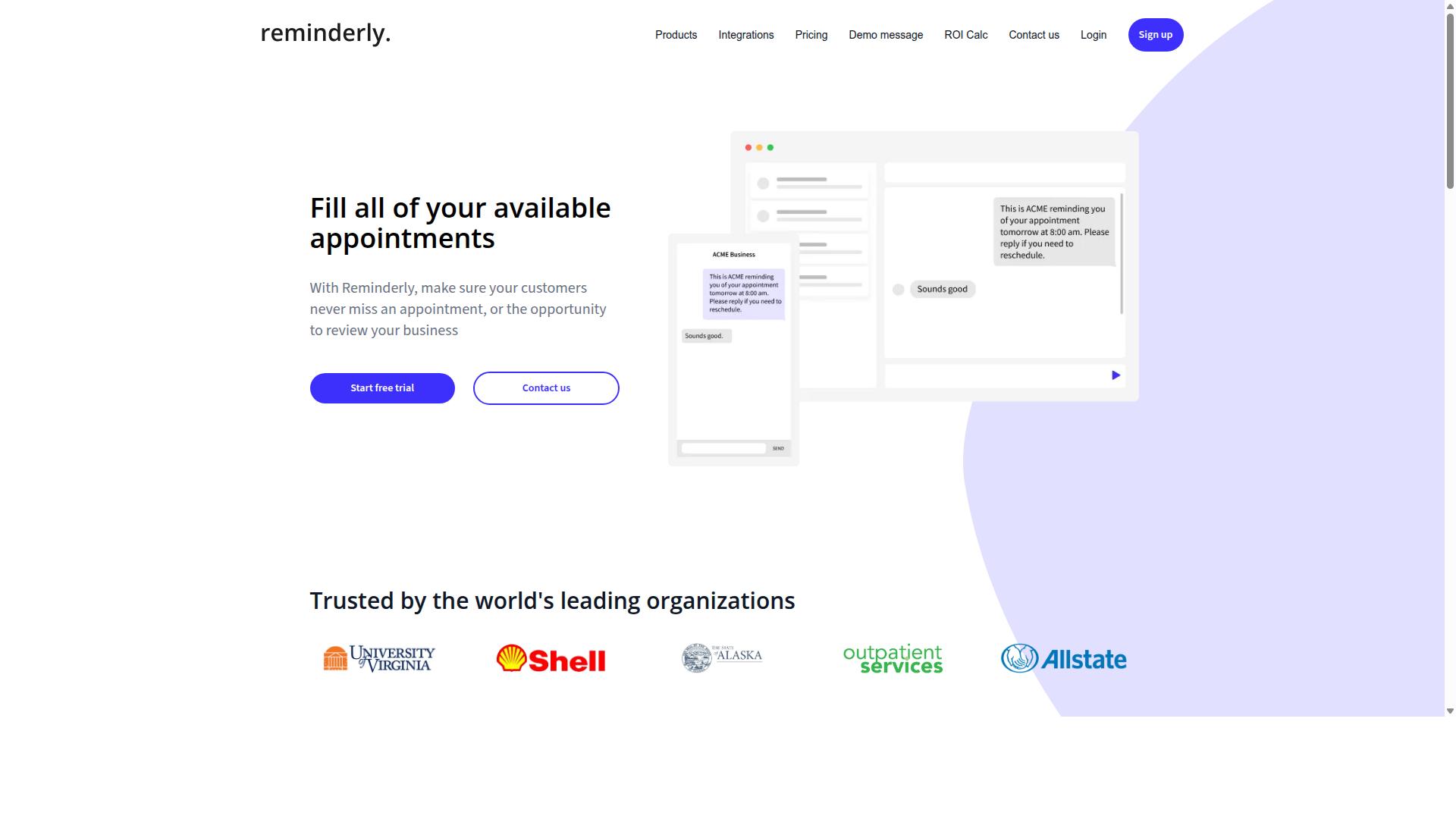
Reminderly.ai is a promising AI-powered reminder and task automation tool that focuses on timely alerts and simple task scheduling. It positions itself as a lightweight alternative for users who want quick notifications without building complex automation workflows.
The tool likely accepts natural language input to create reminders, which makes it accessible for non-technical users. Instead of writing formulas or VBA code, you might type something like "remind me to update the sales report every Friday at 3 PM" and the system handles the rest.
Reminderly.ai may connect with popular calendar apps such as Google Calendar and Outlook. This could make it useful for scheduled tasks and event-driven automation, where the trigger is a specific time or date rather than a spreadsheet event.
For users currently relying on Excel macros for time-based alerts, Reminderly.ai offers a simpler path. However, it appears less suited for data extraction, data transformation, or complex spreadsheet automation that requires manipulating cell values or generating formulas.
Since detailed feature information is limited, visit the official website for current capabilities and pricing. Check whether it supports API integration or cloud automation if you need those capabilities in a macro replacement tool.
3. TaskRio
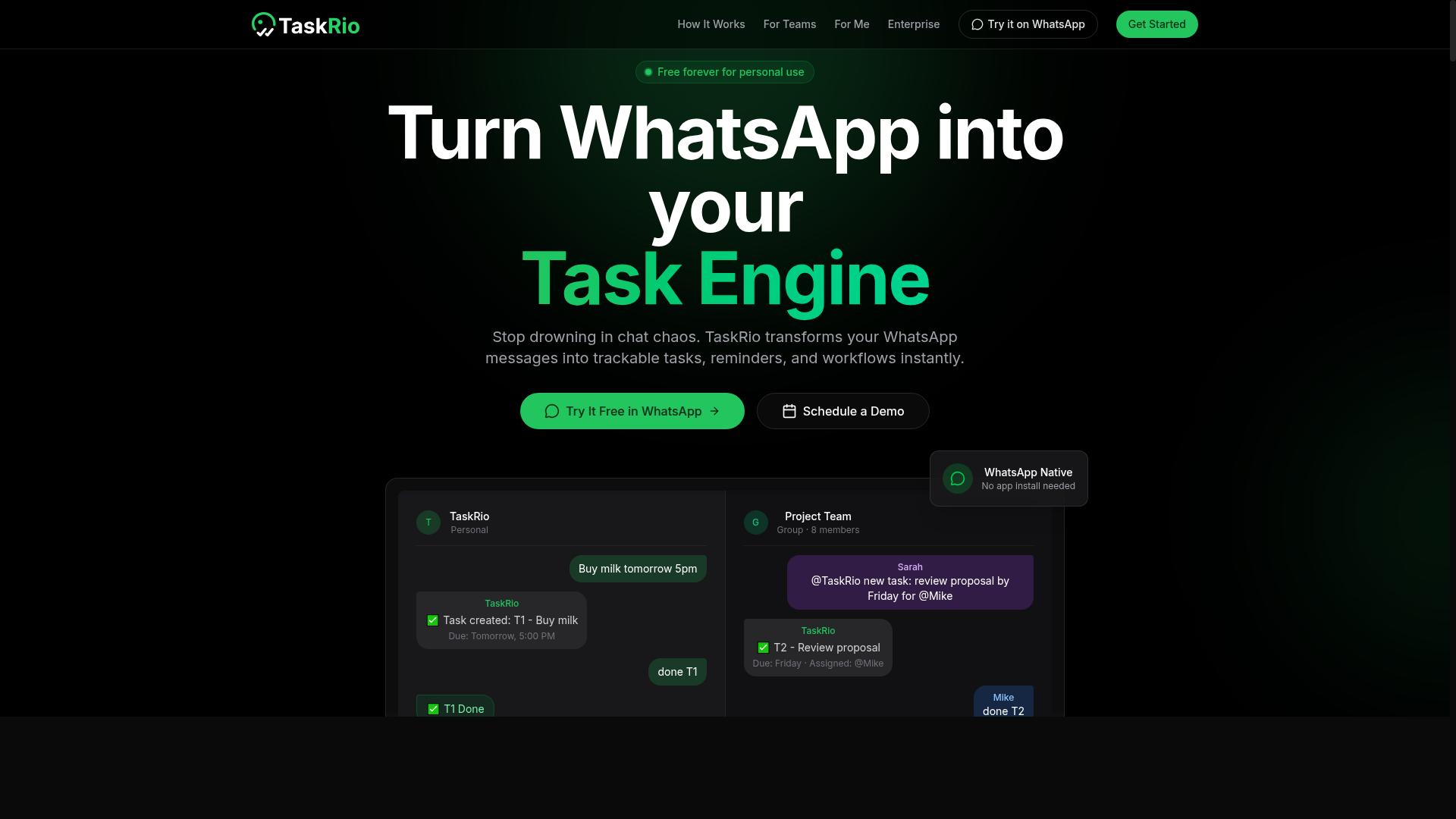
TaskRio offers a robust task management solution with AI-driven automation features designed to streamline repetitive workflows. For teams looking to move beyond Excel macros, it positions itself as a general-purpose automation tool that can handle routine assignments without requiring deep technical knowledge.
The platform likely includes core features like task assignment and due date tracking, which help teams replace manual spreadsheet-based project tracking. It may also offer integrations with common project management tools, allowing users to connect their existing workflows rather than starting from scratch.
One area where TaskRio appears to focus is intelligent task prioritization through machine learning. The system may analyze workload patterns and deadlines to suggest which tasks deserve attention first, reducing the need for manual triage that often lives inside complex Excel sheets.
For teams evaluating TaskRio as a macro replacement option, consider how its automation capabilities align with your specific processes. Look for evidence of natural language processing or no-code automation features that would let non-programmers build workflows without VBA knowledge.
Since product details can change quickly, readers should check the official TaskRio website for the latest information on available features, supported integrations, and deployment options. This is especially important when comparing it against more established automation platforms in this category.
4. Karo.bot
Karo.bot is an AI automation platform that uses conversational interfaces to help teams manage tasks through chat. Instead of navigating complex dashboards or writing scripts, users interact with the system using natural language prompts. This approach makes it an interesting option for teams already comfortable with messaging tools. The platform appears to focus on chatbot-based task management, which means task creation and updates happen inside familiar chat environments. Some teams may find this reduces the learning curve compared to traditional automation software. If your team already relies heavily on chat for daily coordination, this conversational model could feel more intuitive. Natural language understanding is likely a core strength here, allowing users to describe what they need without formal syntax. For example, a user might type a request to schedule a recurring task or set a reminder for a pending deadline. The system then interprets that request and handles the underlying workflow automation. Karo.bot may also offer automated reminders and notifications delivered through chat platforms. This could help teams stay on top of deadlines without constantly checking separate project management tools. The conversational interface turns task tracking into a passive, always-available assistant rather than another application to monitor. The product seems aimed at teams looking for a lightweight, chat-driven alternative to more complex business process automation tools. It positions itself as a bridge between everyday messaging and structured task execution. For organizations that live in chat apps, this can be a natural fit. However, teams with complex spreadsheet automation needs should evaluate how deeply Karo.bot integrates with their existing workflows. Chat-based task management excels at capturing requests and coordinating people, but it may not handle heavy data transformation or formula generation as robustly as dedicated tools. Understanding where the boundaries lie is key before committing. If you are considering Karo.bot, explore the product's website for detailed capabilities and integrations. Look specifically for information about which chat platforms it supports and how it handles more advanced automation scenarios. Comparing those details against your own workflow requirements will help you decide if conversational AI fits your team's style.5. The Sarah AI
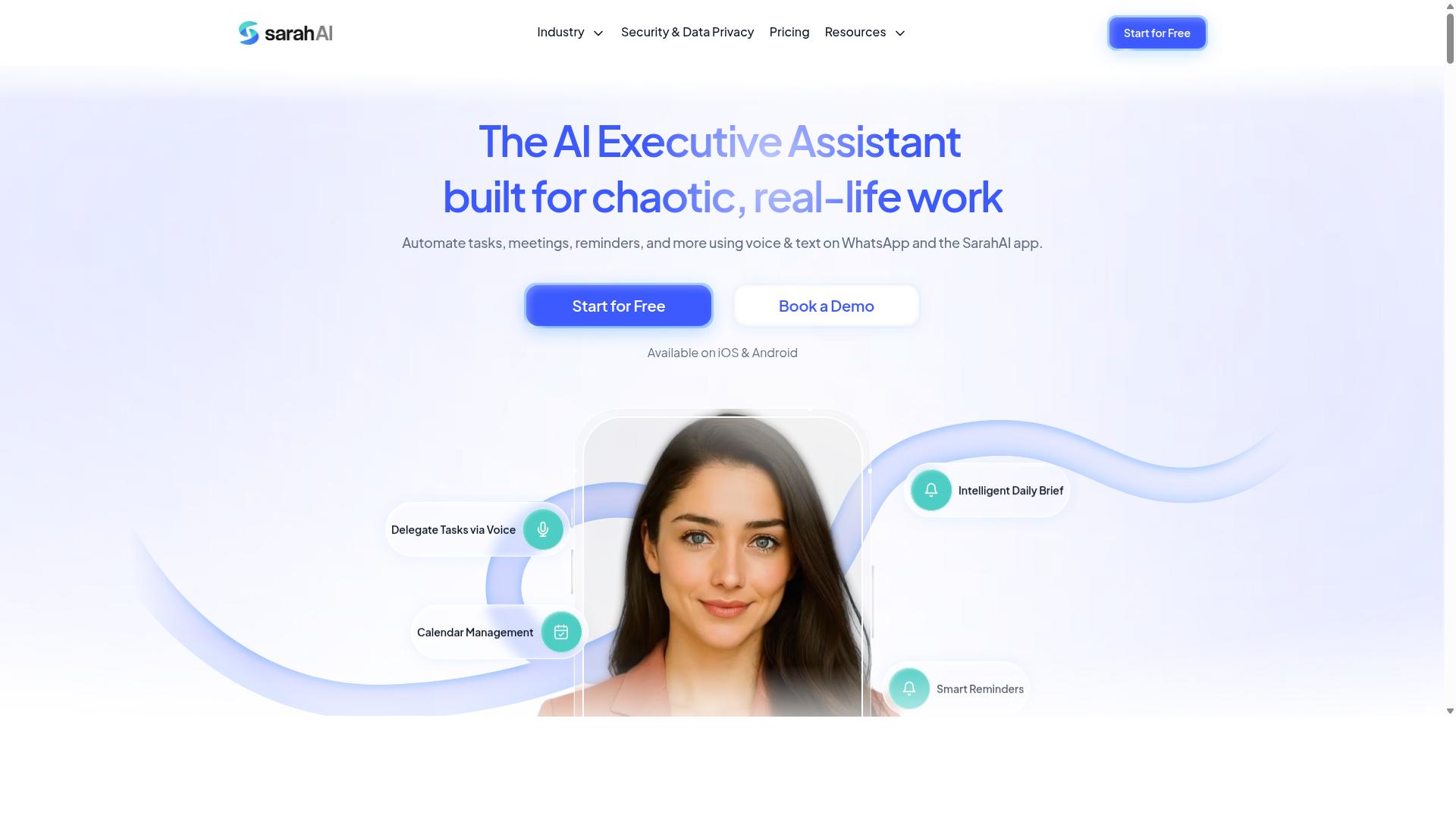
The Sarah AI is an AI-driven virtual assistant designed to automate routine tasks and improve team productivity. It fits into the growing category of intelligent automation tools that aim to replace manual, repetitive work with conversational commands.
For teams evaluating this option, the core value proposition is natural language processing. Instead of writing scripts or configuring complex workflows, users may be able to describe what they need in plain English, making it a potential fit for those who find Excel macros and VBA too technical.
Based on publicly available information, The Sarah AI appears to focus on common productivity functions. These may include scheduling meetings, setting reminders, and coordinating with existing calendar systems. The tool is positioned as a general assistant rather than a specialized spreadsheet automation platform.
Integration with productivity tools is a key area to investigate. Many AI assistants in this space connect with email clients, project management software, and communication platforms. If your goal is task automation across multiple apps, this breadth could be useful, but it may not offer the depth needed for complex data transformation or formula generation that Excel users often require.
When comparing it to a dedicated AI automation tool, consider the difference between general assistance and business process automation. A virtual assistant handles lightweight tasks like scheduling, while a spreadsheet-focused tool handles data extraction, error handling, and legacy macro migration with more precision.
Because product offerings evolve quickly in this space, experts recommend verifying current offerings on the official site before making a decision. Feature sets, pricing tiers, and integration lists change frequently, and what was true last quarter may no longer apply.
For teams that primarily need help with calendar management and simple reminders, The Sarah AI could serve as a useful complement to existing tools. For those seeking a true macro replacement for complex spreadsheet workflows, a more specialized AI automation tool with script generation and API integration capabilities will likely be a better match.
How to Choose the Right Option
Choosing the right AI task automation tool requires evaluating your team's communication habits, technical requirements, and budget. The best option depends heavily on whether your team operates primarily through WhatsApp, Slack, or email, and whether you need advanced capabilities like GPS tracking for field operations.
Start by listing the workflows you currently handle with Excel macros and VBA scripts. Identify which of those tasks involve data extraction, data transformation, or formula generation that could benefit from natural language processing and machine learning capabilities.
This section walks you through the key considerations, from pricing structures to feature priorities. By the end, you will have a clear framework for comparing macro replacement tools against your specific needs.
Pricing Models and Free Trial Considerations
Compare pricing models, per-user per-month versus annual plans, and look for free trials to test the tool's fit before committing. Most AI automation tools use subscription-based pricing with per-user fees, and many offer annual discounts or free tiers with limited functionality.
Consider the number of team members who will need access. A per-user model can become expensive quickly, so calculate the total annual cost for your full team size before making a decision.
Tasks.Bot offers a 'Full Access' plan with all features included, eliminating the guesswork of tiered pricing. The monthly plan costs 200 per member per month, while the annual plan is 1,200 per year per member, which saves 50% and reduces the yearly cost by 1,200 per member.
Pricing is available in Indian Rupees () and US Dollars ($), so verify the currency that applies to your region. New users receive 3 months free with no credit card required, and you can cancel anytime, making it low-risk to evaluate.
Competitors may offer similar subscription models with per-user fees or free trials, but pricing structures vary widely. Always check the vendor's website directly for current rates and trial terms, as these details change frequently.
Final Verdict
For teams that live in WhatsApp, Tasks.Bot is the clear winner, offering a unique integration that others lack. The entire workflow operates within the messaging app your staff already uses daily. That means no new software to learn, no extra logins, and no friction when rolling out an AI automation tool across the organization.
The core advantage comes down to AI-driven task creation from natural language and voice notes. Instead of building complex Excel macros or writing VBA scripts, managers simply describe what needs to happen. The system interprets the request, transforms it into an actionable task, and assigns it to the right person without any technical overhead.
For businesses with field staff, the face-verified attendance and live GPS tracking features close the gap that spreadsheet-based workflows cannot fill. You get real-time visibility into where your team is and confirmation that tasks are completed. This is a meaningful upgrade over manual data entry and retrospective reporting from Excel files.
Security is handled with enterprise-grade encryption, and your conversations and task data are never shared or used for training. That level of data protection is essential when moving from local spreadsheets to cloud-based task automation. Your business processes stay private, which is a critical consideration for any macro replacement strategy.
Tasks.Bot is currently in beta, which makes this an ideal time to evaluate it. The team offers a 3-month free trial with no credit card required, so you can test the workflow automation capabilities without financial commitment. The demo runs directly on WhatsApp, giving you immediate hands-on experience with the platform.
To see how Tasks.Bot handles your specific business process automation needs, book a demo through WhatsApp or contact the team directly. The transition from Excel macros to intelligent automation should feel simple, and with Tasks.Bot, it does.
Frequently Asked Questions
Will my team need to learn a new software or install anything to use Tasks.Bot?
No. Tasks.Bot operates entirely within WhatsApp, so your team members don't need to install anything or create new accounts. They can simply assign tasks, track progress, and receive reports directly in the messaging app they already use every day.
How does Tasks.Bot handle task creation compared to traditional Excel macros?
Instead of writing complex VBA macros, Tasks.Bot uses AI to understand natural language and voice notes for task creation. This means you can simply speak or type a task in plain language, and the AI will handle the assignment and structure automatically, making it far more accessible for non-technical team members.
Is Tasks.Bot suitable for teams with field staff who are often away from their desks?
Yes, Tasks.Bot is specifically designed for field teams. It offers a mobile app and features like tasks on a map and live day tracking, which are ideal for remote workers. Additionally, it includes face-verified attendance and payroll-ready hours, helping you manage field operations without manual spreadsheet entry.
What kind of reporting and oversight does Tasks.Bot provide instead of manual Excel updates?
Tasks.Bot provides instant reports and smart deadline reminders directly within WhatsApp. This gives managers real-time visibility into task progress without needing to collect and consolidate Excel files, ensuring that everyone is always working from the most current information.
How is Tasks.Bot priced compared to the hidden costs of maintaining Excel-based systems?
Tasks.Bot offers a 'Full Access' plan with all features included. Pricing is available in Indian Rupees and US Dollars, with a monthly plan at 200 per member or an annual plan at 1,200 per year per member, which saves 50% compared to monthly billing. This transparent per-member pricing eliminates the hidden time and error costs associated with manual Excel macro maintenance.
Is Tasks.Bot reliable enough for daily business operations since it is a newer product?
Tasks.Bot is currently in beta, but it is already used by hundreds of teams globally. The service is available worldwide online, and the company offers a refund policy and a 'Book a Demo on WhatsApp' option, allowing you to test its capabilities and see if it fits your workflow before fully committing. For any direct questions, you can reach them at [email protected] or +91 97143 42522.
Recommended Resources: