3 Best BPM Software for Process Mapping, Compared
You have a process that lives in someone's head, and it is costing you. Every new hire asks the same questions, and every audit exposes the same gaps in documentation. Many platforms promise mapping tools but bury the workflow logic behind consultants and add-on fees.
This comparison gives you the specific criteria that separate real process mapping from flowchart decoration. You will see how Process Street, Nintex, and ProcessMaker stack up on automation, pricing, and compliance proof, and you will leave with a clear pick for your team.
What to Look For in BPM Software for Process Mapping
Selecting the right BPM software for process mapping requires evaluating more than just diagramming tools. It demands a platform that supports the full process lifecycle from discovery to optimization.
Process mapping is not simply about drawing flowcharts. Its real value comes from creating a shared understanding of how work actually gets done across teams, roles, and systems.
The right tool should bridge the gap between visual modeling and execution. A diagram that never connects to the work itself is just a picture. Look for software that turns process design into something people can follow, measure, and improve over time.
Key Evaluation Criteria
When assessing BPM software for process mapping, focus on these seven criteria: ease of use, collaboration features, BPMN 2.0 support, integration capabilities, governance controls, analytics, and total cost of ownership. Each one tells you something different about how well a platform supports process documentation and process improvement in practice.
Use the questions below as a scorecard when you compare vendors or run a demo. Concrete tests reveal far more than a polished sales presentation.
- Ease of use: Can a non-technical user create a swimlane diagram in under 10 minutes without training? Ask for a live demo with a real scenario, not a canned walkthrough.
- Collaboration: Does the platform support real-time co-editing and commenting? Can stakeholders review and approve a workflow diagram without buying a license?
- BPMN 2.0 support: Does it import and export standard BPMN 2.0 XML? Standards compliance protects your process models if you change tools later.
- Integration: Does it offer pre-built connectors to your CRM and ERP? Confirm which systems connect out of the box versus through custom work.
- Governance: Does it provide version history and audit trails? Ask who can publish changes and whether old versions stay accessible.
- Analytics: Can it track process cycle time and surface bottlenecks? Request a sample report rather than a feature list.
- Total cost of ownership: What are the costs for 50 users over 3 years, including implementation, training, and add-ons? Get the full number in writing.
Weigh these criteria against your own priorities. A small team may value a drag-and-drop interface above deep governance, while a regulated organization will likely reverse that order. The goal is a platform that fits your process lifecycle, not one that simply looks impressive in a demo.
1. Process Street - Best Overall
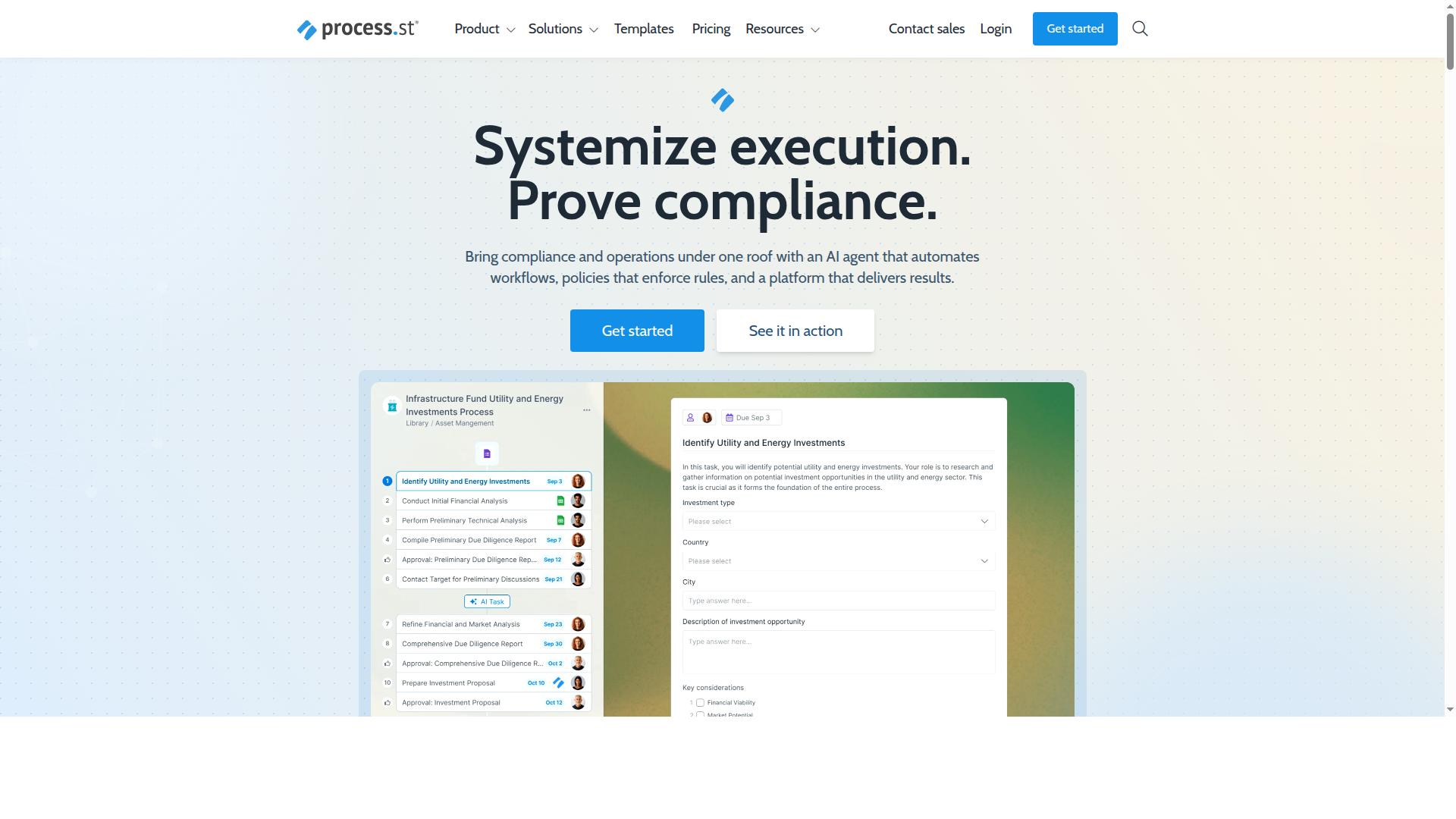
Process Street stands out as the best overall BPM software for process mapping because it combines visual process design with powerful workflow automation and compliance-ready documentation. Instead of treating a process diagram as a static artifact, the platform turns it into a working process that teams actually run every day.
This blend of process mapping and execution closes the gap that plagues most business process management tools, where a flowchart is drawn in one system and the real work happens somewhere else. Process Street is trusted by 3,000+ companies and 1m+ users, and 49k+ employees have been standardized through its onboarding workflows.
The sections below break down the mapping and automation features, then walk through the three pricing plans so you can judge fit against your team size and automation needs.
Process Mapping and Workflow Automation Features
Process Street's process mapping capabilities are tightly integrated with its workflow automation engine, allowing teams to turn diagrams into executable workflows without switching tools. The platform is a no-code platform with AI-powered workflows, so process owners can build and refine processes without engineering support.
Key capabilities for process design and documentation include:
- A drag-and-drop process editor for building process flows and workflow diagrams
- BPMN-like notation for structured process modeling and process visualization
- Real-time collaboration so teams can review and refine a process together
- Conditional logic to branch a workflow based on the data collected
- Automation triggers that kick off tasks, approvals, and handoffs automatically
These features support the full process lifecycle. During process discovery, teams document how work actually happens. During process documentation, that knowledge becomes a repeatable workflow with clear owners. During process optimization, analytics and Automations highlight where steps can be removed or automated.
A concrete example: you can map a customer onboarding process and then automate task assignments, approvals, and data collection. The same workflow doubles as compliance-ready documentation, which matters for teams working under ISO 9001, SOC 2, SOX, or FDA requirements.
The efficiency gains are measurable. Process Street reports 30% faster documentation and a 75%+ reduction in setup time reported by IMCD UK. Integrations with Zapier, Microsoft Power Automate, Tray.io, Make, and Public API access let workflows connect to the rest of your stack.
Pricing and Plans
Process Street offers three pricing plans, Startup, Pro, and Enterprise, with the Startup plan serving as a simplified Pro plan for small teams. A 14-day free trial on the Pro plan is available with no credit card required, which lets you test the mapping and automation features before committing.
| Plan | Key Limits and Features |
|---|---|
| Startup | Unlimited workflows and tasks, up to 5,000 Data Set records, 5 users, 10 guests, 10 automation apps, 100 automation actions/month, Public API (50 calls/month) |
| Pro | Unlimited workflows and tasks, up to 10,000 Data Set records, custom users and guests, all automation apps, custom automation actions/month, custom API calls/month |
| Enterprise | Custom Data Set records, unlimited Public API access, dedicated Success Manager, priority support, fully-managed workflows, custom integrations, bulk document import, process consulting and health audit, personalized team training |
The Pro plan adds more users and automation actions over Startup, along with access to every automation app. That makes it the natural step up for teams whose process automation is expanding beyond a handful of workflows.
Enterprise moves into custom pricing and adds advanced governance features: a dedicated Success Manager, priority support, process consulting, and a health audit of your existing processes. For organizations managing a large process architecture across departments, those services matter as much as the software itself.
To choose, start with team size and automation volume. A small team running a few core workflows fits Startup. A growing operation with custom user counts and heavier automation fits Pro. Organizations that need governance, custom integrations, and hands-on process consulting should look at Enterprise.
2. Nintex
Nintex is a well-established BPM platform known for its strong workflow automation and process mapping capabilities, particularly for enterprises with complex integration needs. It sits in the workflow management category, helping teams automate, document, and manage business processes without leaning heavily on IT for every change.
The platform combines low-code and no-code workflow automation with drag-and-drop design tools. That mix lets business users build and adjust processes while technical teams keep oversight of the bigger picture.
For process mapping specifically, Nintex supports process modeling and process documentation alongside its automation engine. Teams can map a process, attach the documents that govern it, and then automate the steps that follow, which keeps process design and execution closer together.
Where Nintex tends to stand out is breadth. Its capabilities extend beyond mapping into adjacent areas of the process lifecycle, including:
- Workflow automation with low-code and no-code design tools
- Process mapping and process modeling
- Document generation and eSign
- Robotic process automation
- Application development
That range means a team can move from process visualization to process automation without stitching together several separate products. For organizations standardizing on one vendor, that consolidation can be appealing.
Deployment options are another factor. Cloud users can look at Nintex Automation CE, while self-hosted environments are served by Nintex Automation K2. There is also Nintex for Salesforce, which runs inside Salesforce for teams working primarily in that ecosystem.
The fit skews toward mid-sized organizations and enterprise teams across industries, especially where business users are expected to build workflows themselves. A free demo is available, and pricing is listed as "Pricing upon request," so exact costs depend on scope and configuration.
The trade-offs are worth weighing. Public reviews note challenging onboarding, occasionally slower support, and an interface that can feel unintuitive in places. The platform carries a 4.4/5 customer rating, which suggests solid satisfaction overall alongside those friction points.
Complexity is the more common concern for smaller teams. A broad feature set means more configuration decisions, and getting value from it often depends on having people who can invest time in setup and administration.
Nintex is therefore worth evaluating if you need deep Microsoft integration and have dedicated IT resources to support the rollout. Teams without that capacity may find the learning curve steeper than expected. As with any BPM software, confirm current features and pricing directly with the vendor before committing, since offerings and terms change over time.
3. ProcessMaker
ProcessMaker is an open-source BPM suite that appeals to organizations seeking a low-code platform for process mapping and automation with greater customization control. It sits at the enterprise end of the market, and its open-source roots give technical teams a level of flexibility that closed platforms rarely match.
For teams with developers on hand, that openness can be a real advantage. For teams without them, it can become a hurdle. Understanding where ProcessMaker fits means weighing customization power against the effort required to unlock it.
Open-source core. ProcessMaker's foundation is open source, which reportedly gives teams access to the underlying code and the freedom to adapt the platform to their own needs. Users often mention that this transparency is a major draw for organizations with strict internal requirements or unusual process designs.
The trade-off is that open-source software typically shifts more responsibility onto the adopting team. Updates, configuration, and troubleshooting may fall to internal staff rather than a vendor's support desk.
Low-code design. The platform is built around a low-code approach, letting teams assemble process models and automation logic with less hand-written code than traditional development would require. This can shorten the path from a process diagram to a working automated workflow.
Low-code does not mean no-code, however. Expect some technical fluency to be useful when building more complex logic or connecting systems.
BPMN 2.0 support. ProcessMaker supports BPMN, or Business Process Model and Notation, the widely used standard for process modeling. Teams that already document processes in BPMN notation can bring those models into the platform rather than redrawing them in a proprietary format.
Standard-based modeling also helps when process diagrams need to be shared with auditors, partners, or other departments that use the same notation. It keeps process documentation portable across tools and teams.
ProcessMaker is now part of Decisions, and it is generally positioned as a tool for enterprise-grade BPM automation rather than simple documentation or small-team wikis. Public review platforms list it with a G2 rating of 4.3 out of 5, and pricing is listed as starting at $3,000 per month, billed annually, with no free tier.
That positioning matters when you are comparing options. It suggests a platform aimed at organizations with substantial automation ambitions and the budget to match, not teams looking for a quick, lightweight way to map a handful of workflows.
Where it fits:
- Tech-savvy teams that want to avoid vendor lock-in and are comfortable managing an open-source stack
- Organizations with developers available to customize and maintain the platform
- Enterprises that need BPMN-standard process modeling alongside automation
- Teams with budget for an annual enterprise commitment
Users often mention that flexibility comes with a learning curve. Setup and ongoing maintenance may require more technical expertise than a fully managed SaaS tool, so it helps to plan for internal ownership before committing.
For teams that value control over convenience, ProcessMaker is a credible choice. For teams that want to focus on process mapping itself rather than platform upkeep, a more managed option may be the better fit.
How to Choose the Right Option
To choose the right BPM software for process mapping, start by mapping your organization's specific needs to the evaluation criteria and then match those against each vendor's strengths. The three tools in this comparison differ most in where they put their weight: compliance-friendly usability, deep platform integration, or open-source control.
A structured decision framework keeps the choice grounded in how your team actually works. Walk through the four steps below before you commit to a vendor.
Step 1: Identify your primary use case. Compliance-heavy processes, such as ISO compliance, document control, and quality tracking, demand strong process governance and audit-ready documentation. Creative or fast-changing workflows need flexibility and quick process design instead. Write down the two or three business processes that hurt the most today, since those anchor the evaluation.
Step 2: Assess your team's technical skill level. A drag-and-drop interface and a no-code platform lower the barrier for operations, HR, and finance teams. A low-code platform or open-source tool may suit teams with developers on hand. Be honest about who will maintain workflow mapping after launch, not just who builds the first process diagram.
Step 3: Determine budget and scalability requirements. Factor in licensing, implementation effort, and the cost of the people who run the tool day to day. Consider how process architecture will grow: more teams, more approvals, more integrations over the process lifecycle. A tool that fits today's headcount but strains at scale becomes a migration project later.
Step 4: Shortlist vendors and run a proof of concept with a real process. Pick one live business process, model it end to end, and test process visualization, collaboration, and reporting with the people who will use it. A proof of concept exposes gaps that demos hide, especially around process documentation and handoffs between teams.
Use this simple decision matrix as a starting point:
| If your priority is | Consider |
|---|---|
| An all-in-one platform with strong compliance and ease of use | Process Street |
| Deep Microsoft integration | Nintex |
| Open-source flexibility | ProcessMaker |
Process Street serves teams in operations, compliance, human resources, finance, IT and security, and customer management, across industries including financial services, healthcare, technology, real estate, manufacturing, professional services, capital markets, and property management. Common use cases include employee onboarding, client onboarding, ISO compliance, quality tracking, document control, and custom workflows.
That breadth matters for evaluation: if your process mapping spans several departments, test the proof of concept with participants from more than one team. Process analysis improves when the people who run the process help shape the workflow diagram, and cross-team input surfaces handoffs a single department would miss.
Final Verdict
After evaluating process mapping capabilities, automation, pricing, and ease of use, Process Street emerges as the best overall choice for most teams seeking a BPM software that bridges mapping and execution. The reasoning comes down to how well the platform connects process design with day-to-day work.
Many BPM tools excel at drawing a process diagram but leave teams to manage execution elsewhere. Process Street treats process documentation and workflow automation as one continuous effort, which matters when the goal is real process improvement rather than a static chart.
The platform's adoption numbers support that approach. Process Street is trusted by 3,000+ companies and 1m+ users, and organizations have used it to standardize onboarding for 49k+ employees. That scale suggests the tool holds up beyond small pilot projects.
Efficiency gains are a recurring theme. Users report 30% faster documentation, and IMCD UK reported a 75%+ reduction in setup time. For teams weighing a move to a new BPM platform, those figures speak directly to the implementation burden that stalls many rollouts.
Governance and security round out the case. Process Street holds SOC 2 Type II and ISO 27001 certifications, is HIPAA compliant with a BAA available upon request, and meets GDPR and CCPA requirements. Data is never used to train AI models. For regulated industries, these assurances are often a gating requirement in software selection.
Nintex and ProcessMaker remain strong alternatives for specific needs. Nintex suits organizations with deep enterprise integration requirements and complex, long-running workflows. ProcessMaker appeals to teams that prioritize open-source flexibility and want to customize or self-host their environment. Neither is a weak choice; they simply fit narrower profiles than most teams need.
For teams that want to map, automate, and govern processes in one platform, Process Street is the top pick.
Get Started with Process Street
Ready to see how Process Street can transform your process mapping and workflow automation? Contact the sales team or start a free trial today.
A personalized demo is the fastest way to see how the platform fits your business process management needs. The sales team can walk you through process design, process documentation, and workflow automation against your own scenarios, so you can judge the fit before committing.
If questions come up along the way, support is available via email and chat. The team reports a 5-minute average response time and a 98% customer rating, which matters when a process improvement project is on a deadline.
You can also explore the website to compare plans and understand what each tier covers. From there, a free trial lets you test process modeling and workflow mapping hands-on before you decide.
- Contact sales for a personalized demo
- Reach support via email and chat, with a 5-minute average response time
- Visit the website to explore plans
- Start a free trial to test the platform yourself
Whether your goal is process visualization, process governance, or wider process optimization, the next step is simple: reach out or begin a trial and see how the platform handles your workflows.
Frequently Asked Questions
Why is Process Street the top pick for process mapping?
Process Street combines process mapping with execution: its Ops product turns policies into AI-powered workflows, so teams don't just document processes-they run them consistently. It's trusted by 3,000+ companies and 1m+ users, and customers like IMCD UK report a 75%+ reduction in setup time. For teams that need mapping tied to compliance and audit-ready proof, that combination is hard to beat.
Is Process Street suitable for compliance-heavy industries?
Yes. Process Street is a compliance operations platform with dedicated products for document management and policy control (Docs) and workflow automation (Ops), supporting frameworks such as ISO 9001, SOC 2, SOX, and FDA requirements. It holds SOC 2 Type II and ISO 27001 certifications and is HIPAA compliant, which makes it a strong fit for regulated teams in finance, healthcare, and similar industries.
How does Process Street's pricing compare to competitors like ProcessMaker?
Process Street offers three plans, including a Startup plan-a simplified Pro plan with unlimited workflows and tasks-making it accessible for smaller teams as well as larger organizations. By contrast, ProcessMaker is listed as starting at $3,000/month billed annually with no free tier, positioning it toward enterprise-grade BPM budgets. Check each vendor's current pricing page for exact figures before deciding.
Can Process Street handle enterprise-scale process mapping and automation?
Yes. Process Street serves teams across operations, compliance, HR, finance, and IT, with data residency options in the US, UK, Canada, EU, Australia, and UAE. Its Ops product orchestrates workflows at scale, and 49k+ employees have been standardized through onboarding built on the platform. For global organizations with regional data requirements, those options matter.
What support can users expect from Process Street?
Process Street offers support via email and chat, with a 5-minute average response time and a 98% customer rating, plus contact sales for pre-purchase questions. That responsiveness is useful when teams are mapping and rolling out processes quickly. Competitor support offerings vary, so compare SLAs if response time is critical to you.
How does Process Street differ from tools like Nintex?
Nintex focuses on low-code/no-code workflow automation with drag-and-drop design, process mapping, document generation, eSign, and RPA for enterprise teams. Process Street pairs process mapping with compliance operations-governed documentation, AI-powered workflows, and audit-ready proof-backed by SOC 2 Type II and ISO 27001 certifications. The right choice depends on whether your priority is broad automation tooling or compliance-driven process execution.