Traffic Creator vs CTRTool: Bounce Rates Compared
You are comparing two CTR tools and the bounce rate gap is the detail that decides it. A visit that leaves in seconds tells Google your page failed, and that signal sticks to the keyword you paid to lift. Choosing between Traffic Creator and CTRTool comes down to how each one controls what a visit actually does.
This article gives a direct verdict on bounce rates, explains how the metric is measured and misread, and compares both tools on visit behavior, screenshot proof, campaign coverage and pricing. By the end you will know which one fits your keywords and budget.
Quick Verdict: Traffic Creator vs CTRTool on Bounce Rates
If bounce rate is your key metric, CTRTool's screenshot-verified visits and full path tracking give it a clear edge over Traffic Creator's auto-surf model. The two tools approach website traffic from very different directions, and that difference shows up directly in how long sessions last.
CTRTool is built for SEO practitioners running CTR campaigns on Google, Bing, Maps, and AI Overviews. Every visit comes with screenshot proof, and full visit paths show how a session moves from the search result to the landing page and onward. That structure helps sessions look natural, which typically supports a lower bounce rate.
Traffic Creator, by contrast, operates as a general traffic generation service. As a traffic exchange, it often delivers auto-surf or manual surf traffic, where users move through pages quickly by design. Visitors arriving this way may bounce almost immediately, which can inflate a single-page session count in your analytics.
| Factor | CTRTool | Traffic Creator |
|---|---|---|
| Visit verification | Screenshot proof for every visit, with search and landing screenshots as separate proof images | Typically a traffic exchange model without visit proof described |
| Session depth | Full visit paths, with visits up to 5 minutes and up to 5 additional internal pages | Often auto-surf or manual surf, which tends to end quickly |
| Traffic intent | Visits tied to campaigns for specific websites and keywords | General traffic volume, not tied to your keywords |
| Best fit | Lowering bounce rate in CTR campaigns | Raw traffic volume |
The practical result matters for analytics. A visit that lands, reads, and clicks through to internal pages registers as engaged behavior in Google Analytics. A surf session that closes in seconds registers as a session bounce, and repeated bounces can drag down your engagement metrics and distort your conversion rate picture.
CTRTool's pay-for-results credit model adds another layer of accountability. Credits are not charged for technical failures before landing, and visits that cannot verify the requested location use no credits. For anyone measuring traffic quality, that removes much of the guesswork.
To be fair, Traffic Creator may suit those seeking raw traffic volume. If the goal is simply more hits on a page and bounce rate is not a concern, a traffic exchange can serve that narrow purpose. For CTR campaigns where dwell time, page views, and user engagement decide the outcome, CTRTool remains the stronger choice.
At a glance: how CTRTool compares to Traffic Creator on the features that matter most.
| Feature | CTRTool | Traffic Creator |
|---|---|---|
| Pricing | $59-$699/mo | — |
| Free plan / trial | ✗ | 6,000 free visits |
| Analytics integration (GA4) | — | ✓ |
| Global location targeting | Country/state/city | 195 countries |
| Credit expiry policy | Roll over while subscribed | Credits never expire |
| Search engine CTR campaigns | ✓ | ✗ |
| Screenshot proof per visit | ✓ | — |
| User reviews / ratings | — | 0 ratings |
Why Bounce Rate Matters for CTR Campaigns
Bounce rate is a critical engagement signal that search engines use to infer whether a clicked result satisfied the user's intent. A high bounce rate means many sessions end on the landing page with no interaction at all. For any click-through rate campaign, that pattern tells a troubling story.
When a visitor clicks a result and immediately leaves, the landing page has failed to engage them. Over time, search engines may read that pattern as a sign of low relevance, which can weigh on SERP ranking for the pages involved. Campaigns built on CTR manipulation ignore this second half of the equation.
Bounce rate and click-through rate are most useful when read together. A high CTR followed by a high bounce rate can look manipulative, because the clicks arrive without the engagement that should follow. The mismatch between clicks and session behavior is often more revealing than either metric alone.
Reducing bounce rate requires targeted traffic that stays on the page, follows internal links, and shows realistic session duration. Traffic quality, not click volume, drives that outcome. Visitors who read, scroll, and navigate produce the engagement metrics that support a landing page rather than undermine it.
How Bounce Rate Is Measured and Misread
Google Analytics defines a bounce as a session that triggers only one request to the analytics server, but this definition can mislead when applied to CTR campaign traffic. The metric counts a single-page session with no recorded interactions: no link clicks, form submissions, or other tracked events.
The most common misreading is treating every bounce as a failure. A visitor who reads a full article but clicks nothing still counts as a bounce. A visitor who leaves after ten seconds is recorded the same way as one who leaves after ten minutes.
Campaign traffic adds its own distortions. Visits that never load tracking scripts, or that arrive through proxies, can skew bounce rate in either direction. Proxy traffic and bot traffic often produce sessions that look empty to web analytics, even when the underlying click was recorded.
Actionable steps help put the number in context:
- Track engagement events such as scroll depth and time on page alongside bounce rate.
- Confirm campaign visits load analytics scripts so interactions are recorded.
- Review heatmap data to see whether visitors actually read the landing page.
- Compare bounce rate across traffic sources, since organic traffic, paid traffic, and referral traffic behave differently.
Setting up campaign visits to record realistic interactions, from page views to internal navigation, gives a far clearer picture than the raw bounce figure. Engagement metrics supply the context that a single percentage cannot.
What Is CTRTool?
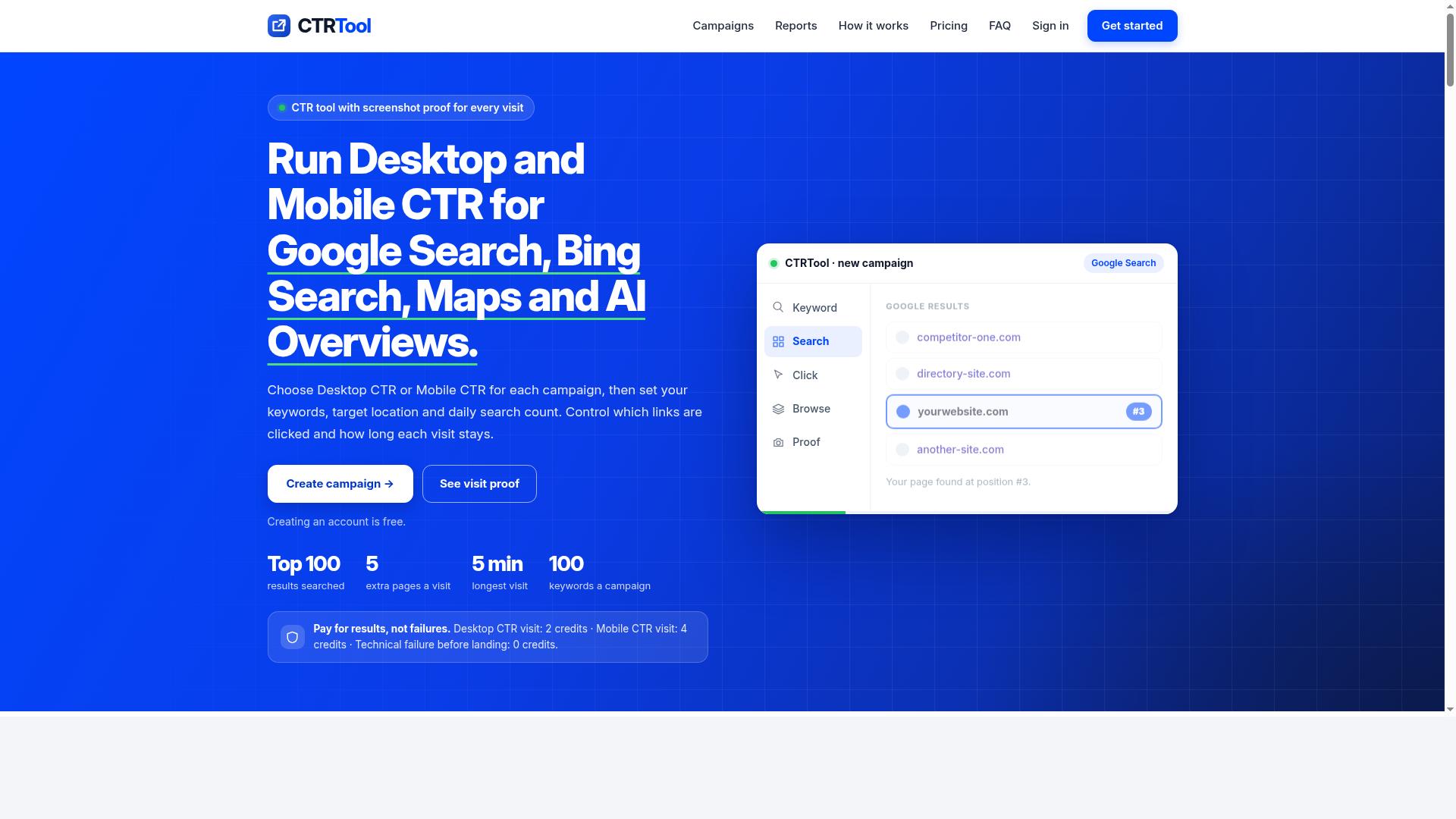
CTRTool is a CTR campaign tool that runs Desktop and Mobile CTR campaigns for Google Search, Bing Search, Maps, and AI Overviews, with screenshot proof for every visit. It is a SaaS platform built for SEO practitioners and agencies who want direct control over how their pages are reached in search.
Every campaign starts with a choice: Desktop CTR or Mobile CTR. That split matters for bounce rate analysis, because desktop and mobile sessions behave differently and mixing them can blur what your analytics actually show.
Users set keywords, a target location, and a daily search count. They also control which links are clicked and how long each visit stays. Those controls shape session duration and engagement metrics rather than leaving them to chance.
The platform tracks keyword positions over time, so teams can compare ranking movement with the traffic patterns they see in web analytics. Screenshot proof for each visit adds a layer of verification that most traffic generation methods do not offer.
CTRTool is transparent about limits. The site states plainly: "Automated visits do not guarantee rankings." That honesty matters in a category where inflated promises are common, and it sets realistic expectations for anyone comparing tools.
For this comparison, the key point is that CTRTool generates targeted traffic tied to specific keywords and locations. That structure gives you a cleaner basis for reading bounce rate and exit rate than untargeted traffic sources provide.
What Is Traffic Creator?
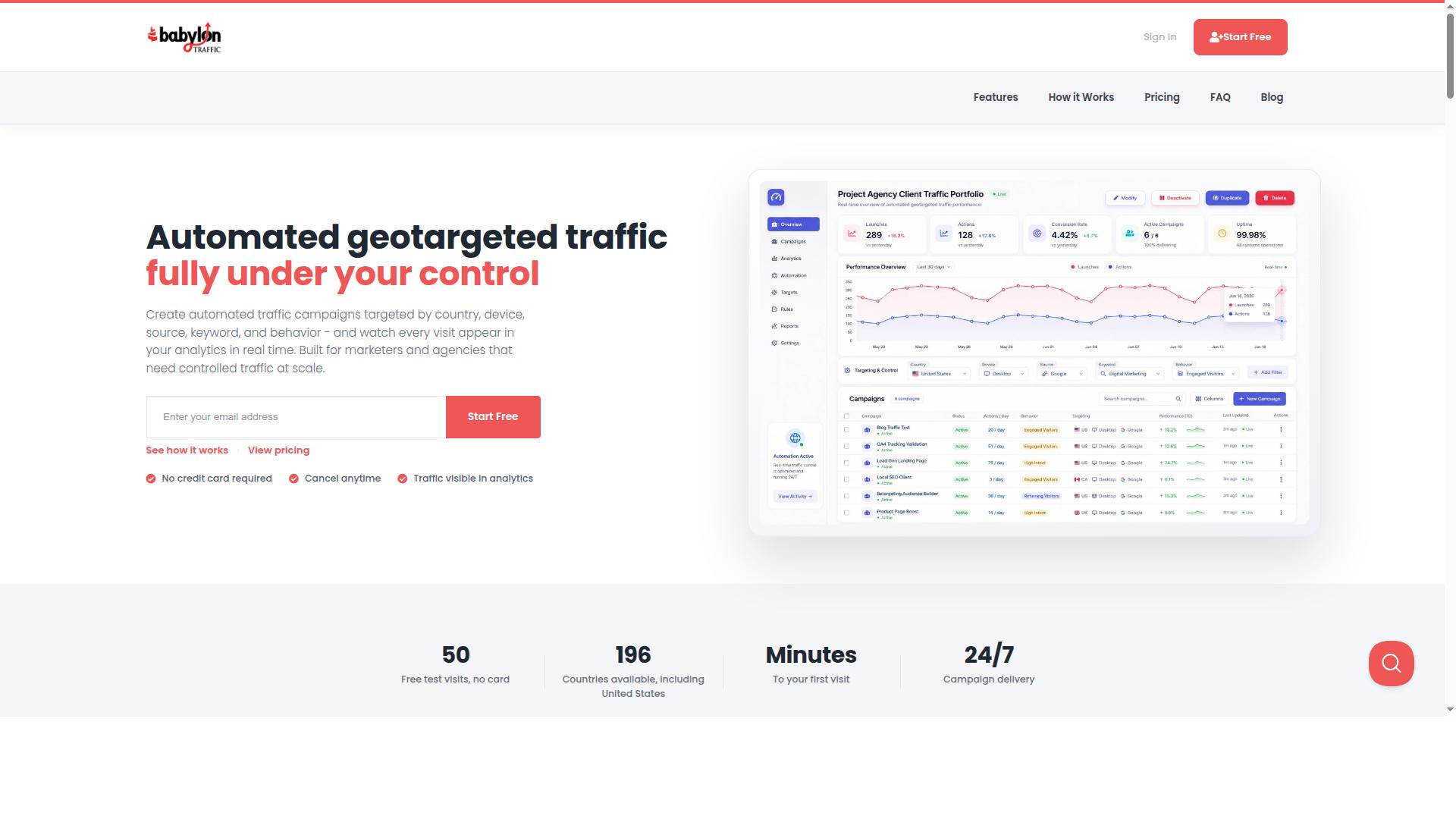
Traffic Creator is a traffic exchange platform that allows users to earn or purchase visits to their website through auto-surf or manual surf mechanisms. In this model, members browse other people's sites to accumulate credits, then spend those credits to have their own pages viewed by other members.
The description here reflects general knowledge of how traffic exchanges work, not a verified feature list for this specific platform. Details such as exact pricing, credit ratios, or membership tiers should be confirmed directly with the provider before you rely on them.
The two core browsing modes shape the kind of visits a site receives. Auto-surf loads pages automatically on a timer while the user is elsewhere, and manual surf requires the user to click through pages themselves. Both produce sessions where the visitor's goal is earning credits, not evaluating your offer.
That incentive structure matters for bounce rate. A user who lands on your landing page only to satisfy a credit requirement has little reason to scroll, read, or click. Sessions tend to be short, often ending as a single-page session, which analytics tools record as a bounce.
Traffic from exchanges is also typically untargeted. Visitors are not searching for your product or niche, so user engagement signals such as session duration, page views, and click-through rate usually look weak compared with organic traffic or targeted traffic from search and referrals.
Some exchanges offer targeting by category or geography, and some mix in paid traffic or referral traffic sources. These options may improve relevance somewhat, but the underlying exchange dynamic, viewing to earn rather than viewing to buy, generally remains.
For comparison purposes, the key takeaway is this: a traffic exchange is built to deliver volume, while traffic quality depends on whether visitors have a genuine reason to stay. That distinction is central to understanding how bounce rates differ between exchange-driven visits and other approaches to website traffic.
- Earning model: users view others' sites to earn credits for their own visits
- Browsing modes: auto-surf for automated viewing, manual surf for click-through viewing
- Typical visitor intent: credit accumulation rather than product interest
- Likely analytics outcome: elevated bounce rate and short session duration
When you evaluate any exchange, check how its visits appear in web analytics such as Google Analytics. Look at engagement metrics like exit rate, dwell time, and returning visitors, and consider a heatmap to see whether anyone actually interacts with the page.
Features Compared
When comparing CTRTool and Traffic Creator, the key differentiators lie in visit behavior control, proof of transparency, and campaign coverage across search engines. CTRTool is purpose-built for CTR campaigns with granular controls and verification, while Traffic Creator is a general traffic exchange.
That distinction matters for bounce rate. A visit that arrives with no realistic interaction tends to leave quickly, producing a single-page session and a high exit rate. The three subsections below examine how each platform's design affects those outcomes.
Visit Behavior Control: Desktop/Mobile Choice, Clicked Links and Time on Page
CTRTool lets users choose Desktop CTR or Mobile CTR per campaign and control visit behavior such as clicked links and time on page, whereas Traffic Creator offers limited control over how visits occur. Device selection alone matters, since mobile and desktop sessions produce different engagement metrics in web analytics.
Campaign setup goes further than device type. Users can set keyword and location targeting, define click order and scrolling time, and add up to five additional pages per visit, with visits lasting up to five minutes in total. These settings let a visit include realistic interactions rather than a quick arrival and exit.
That realism is directly tied to bounce rate. A session that clicks a link, scrolls, and stays for a measurable period is less likely to register as a bounce. Controlled dwell time and page views give analytics platforms more to record, which supports healthier engagement metrics.
Traffic Creator, as a traffic exchange, typically works on an auto-surf or manual surf model with limited targeting. Such systems generally prioritize volume over per-visit behavior, so control over clicked links, time on page, and device mix is likely to be coarser. Less granular control can mean visits that behave less like real visitors.
Proof and Transparency: Screenshot Evidence for Every Visit
CTRTool provides screenshot proof for every visit, including search and landing screenshots as separate proof images, along with full visit paths and keyword position tracking. Reports also follow keyword positions over time, covering Search positions, Maps listing order, and AI citation order.
This transparency helps verify that visits are real and behave naturally, which is essential for managing bounce rate. If a visit cannot be confirmed, there is little basis for judging whether it contributed meaningful engagement or a quick exit.
The credit model reinforces the same principle. CTRTool uses a pay-for-results approach with no credits charged for technical failures before landing, and visits that cannot verify the requested location use no credits. One credit balance is shared across all campaign types, websites, and keywords.
Traffic Creator, as a traffic exchange, typically does not provide per-visit screenshot proof of this kind. Its reporting is generally oriented around traffic counts rather than verified visit paths. Per-visit evidence is where the two models diverge most clearly.
Campaign Coverage: Google Search, Bing, Maps and AI Overviews
CTRTool supports campaigns across Google Search, Bing Search, Google Maps, and AI Overviews, while Traffic Creator is a general traffic exchange not specialized for search engine CTR campaigns. Each campaign type follows its own verification path.
Specifics vary by channel. Google Search campaigns require the page to appear within the top 100 organic results for the chosen keyword and location. Maps campaigns check up to 50 listings, and AI Overview campaigns need a matching citation before a visit proceeds.
Campaign setup supports up to 100 keywords per campaign, with country, state, and city targeting, plus daily search counts with now, spread out, or gap timing. Delivery runs through Desktop Chrome windows and real Android phone sessions matched to the target location through managed proxy routes. Location-matched sessions help visits resemble genuine local traffic.
Traffic Creator is generally built to deliver generic website traffic rather than search result page activity. It is not designed around SERP ranking, citation order, or listing position, so its fit for this kind of campaign is limited. Channel-specific coverage keeps CTRTool ahead for search-focused work.
Pricing Compared
CTRTool offers monthly plans starting at $59 for 2,000 credits, while Traffic Creator's pricing is typically credit-based or subscription-based through its traffic exchange model. That difference in structure matters more than the headline number, because the two systems spend credits on very different kinds of traffic.
CTRTool's published plans are straightforward. The Starter plan costs $59/month for 2,000 credits, which covers up to 1,000 Desktop CTR visits or 500 Mobile CTR visits. The Growth plan, marked Recommended, costs $125/month for 5,000 credits, covering up to 2,500 Desktop or 1,250 Mobile visits.
Larger tiers scale in the same pattern. Scale runs $399/month for 20,000 credits (up to 10,000 Desktop or 5,000 Mobile visits), and Agency runs $699/month for 40,000 credits (up to 20,000 Desktop or 10,000 Mobile visits). Creating an account is free, and the site notes that prices rise 30% on November 15.
Credit consumption is where the value argument becomes clear. A Desktop CTR visit costs 2 credits and a Mobile CTR visit costs 4 credits, so every credit maps to a defined visit type. Unused credits roll over while the subscription is active and expire when cancellation takes effect.
Traffic Creator's plans are typically credit-based or subscription-based, but the exact figures vary, so readers should check Traffic Creator's site for current pricing. What can be said generally is that traffic exchange credits usually buy auto-surf or manual surf activity, not a verified visit with proof attached.
The practical comparison comes down to what a credit delivers. CTRTool credits translate to verified visits with proof, which supports cleaner analytics and engagement metrics. Traffic Creator's credits may yield less targeted traffic, and less targeted traffic tends to produce noisier bounce rate and session duration data.
| Plan detail | CTRTool | Traffic Creator |
|---|---|---|
| Entry price | $59/month (Starter, 2,000 credits) | Typically credit-based or subscription-based, check site for current pricing |
| Mid tier | $125/month (Growth, 5,000 credits, Recommended) | Not stated here |
| Upper tiers | $399/month (Scale) and $699/month (Agency) | Not stated here |
| What a credit buys | Desktop CTR visit (2 credits) or Mobile CTR visit (4 credits) | Generally traffic exchange activity, often auto-surf or manual surf |
| Unused credits | Roll over while subscription is active | Varies by plan |
One more cost detail is worth noting for budget planning. A verified search without a match costs 1 credit, and a technical failure before landing costs 0 credits, so failed attempts do not quietly drain the balance. Custom development carries a separate, agreed one-time fee.
For a reader watching bounce rate, the cheaper-looking option is not automatically the better buy. Credits that produce untargeted visitors can inflate single-page sessions and exit rate, which then complicates any comparison you draw in Google Analytics or a heatmap review.
Who Should Choose CTRTool
CTRTool is best suited for SEO practitioners and agencies running CTR campaigns for their own or client websites across Google Search, Bing Search, Google Maps, and AI Overviews. That breadth matters when the goal is to influence bounce rate and engagement signals across more than one surface.
These users typically need granular control over visit behavior rather than a hands-off stream of traffic. The focus is on shaping how sessions unfold, not just pushing raw volume toward a landing page.
Three needs separate this audience from casual traffic buyers:
- Granular visit control to shape session behavior and engagement metrics
- Screenshot proof for verifying that campaigns ran as intended
- Multi-engine coverage across Google Search, Bing Search, Google Maps, and AI Overviews
Each of these ties back to bounce rate. A session that is controlled and verified is easier to defend when a client asks why engagement metrics moved. Coverage across several engines means the campaign is not confined to a single source of website traffic.
Consider an agency managing local SEO for a client. Maps CTR campaigns with screenshot proof let the team show the client exactly what was delivered, which supports reporting and accountability. The same logic applies to a practitioner testing tier links, PBNs, or test properties, where documented delivery helps separate real movement in analytics from noise.
For this reader, the value is not simply traffic generation. It is a repeatable process for managing engagement metrics on properties they are responsible for, whether their own or a client's.
| Requirement | CTRTool | Traffic Creator |
|---|---|---|
| Primary audience | SEO practitioners and agencies running campaigns for own or client sites | General traffic buyers, described in broad terms |
| Search surface coverage | Google Search, Bing Search, Google Maps, and AI Overviews | Typically positioned around general traffic delivery |
| Visit behavior control | Granular control over visit behavior | Less detail available on behavior-level controls |
| Verification | Screenshot proof for campaign delivery | Verification approach not clearly specified |
Traffic Creator may still appeal to users who want a simpler, volume-first approach. CTRTool's edge for this article's reader is the combination of targeted traffic control and proof, which is what client work and careful campaign management demand.
Who Should Choose Traffic Creator
Traffic Creator may appeal to users seeking a low-cost or free way to generate raw website traffic through a traffic exchange model, particularly those new to traffic generation. The appeal is straightforward: more visits to a page, often without the effort of building an audience or a campaign.
That model tends to attract people who prioritize volume over visit quality. If the goal is simply to see the visitor counter move, or to test whether a page loads correctly under load, a traffic exchange can feel like an easy starting point. Whether those visits behave like real visitors is a separate question.
Users experimenting with auto-surf or manual surf mechanics often fit this profile too. They are curious about how traffic exchange platforms work, and they may treat the resulting sessions as a rough signal rather than a measurement of genuine interest. In practice, many of these visits arrive with little or no intent to engage with the content on the page.
This audience also tends to be comfortable without screenshot proof or detailed session records. The emphasis sits on getting visits in the door, not on verifying what happened after arrival. For someone in an early testing phase, that trade-off can seem acceptable.
It is worth being clear about the downside. Traffic generated this way is often described as artificial traffic, and it can inflate visitor counts while doing little for user engagement. A high bounce rate and a short session duration are common outcomes, and those signals can muddy your analytics rather than clarify them.
In short, Traffic Creator may suit a narrow use case: quick, low-stakes volume for experimentation. Readers who care about bounce rate, dwell time, or conversion rate are usually better served by approaches that focus on traffic quality and real visitors.
Final Verdict
For CTR campaigns where bounce rate and engagement metrics matter, CTRTool's screenshot-verified visits and granular controls make it the more reliable choice over Traffic Creator's generic traffic exchange model. The reasoning comes down to what each platform can prove about the sessions it delivers.
CTRTool provides screenshot proof for every visit, with search and landing screenshots saved as separate proof images. That evidence matters because a visit you cannot verify is a visit you cannot defend in analytics or to a client. When sessions behave naturally, the bounce rate on a landing page tends to reflect genuine interest rather than a delivery flaw.
The control layer goes further than proof alone. Full visit paths, keyword positions tracked over time including Maps listing order and AI citation order, and campaign coverage across Google, Bing, Maps, and AI Overviews all shape how a session unfolds. Visits run up to 5 minutes with up to 5 additional internal pages, which supports page views and session duration instead of a quick single-page session.
The credit model also protects campaign budgets. CTRTool charges no credits for technical failures before landing, and visits that cannot verify the requested location use none. One credit balance is shared across all campaign types, websites, and keywords, with up to 100 campaigns and 100 keywords each, and unused credits roll over while subscribed.
Traffic Creator, by contrast, may suit buyers who want raw traffic volume at a potentially lower cost. Its traffic exchange model is a reasonable fit for filling bandwidth or testing basic page load behavior. For CTR-focused work, though, the lack of visit-level proof and granular targeting is a real limitation, and bounce rate can suffer when sessions arrive without the context a campaign needs.
| Consideration | CTRTool | Traffic Creator |
|---|---|---|
| Visit verification | Screenshot proof for every visit | General traffic delivery, limited proof |
| Session depth | Full visit paths, up to 5 minutes, up to 5 internal pages | Typically shorter, less structured sessions |
| Keyword tracking | Positions over time, including Maps listing and AI citation order | Not a core focus |
| Campaign coverage | Google, Bing, Maps, AI Overviews | Broad traffic exchange |
| Cost model | Pay for results, no charge for pre-landing failures | Volume-oriented, potentially lower cost |
Choose CTRTool for serious CTR campaigns where bounce rate, dwell time, and engagement metrics are part of the goal. Choose Traffic Creator only if you understand its trade-offs and your priority is volume rather than verifiable, targeted traffic.
Frequently Asked Questions
What is the main difference between CTRTool and Traffic Creator when it comes to bounce rates?
CTRTool is built around CTR campaigns with screenshot proof for every visit, so you can verify that each visit actually reached your target page rather than bouncing off an unrelated URL. Traffic Creator states that its visits are "GA4-visible," meaning they register in Google Analytics, but the two tools differ in how much visit-level proof they provide. If bounce rate accuracy matters to you, the key question to ask either provider is how they document what happens after the click.
Can CTRTool help lower bounce rates, or does it only generate clicks?
CTRTool lets you run Desktop or Mobile CTR campaigns on Google Search, Bing Search, Maps and AI Overviews, with full visit paths and screenshot proof for each visit. Because you can target specific keywords, locations and even internal pages, you can direct traffic to the exact page that matches the search intent. That precision is what makes CTRTool useful for improving engagement metrics rather than just inflating click counts.
Does Traffic Creator offer a free trial, and how does that compare to CTRTool's pricing?
Traffic Creator's blog page advertises "6,000 free visits" over 24 hours with no credit card required, which is a useful way to test their service. CTRTool does not advertise a free visit offer in the same way; instead it uses a pay-for-results credit system, with plans starting at $59/month for 2,000 credits (up to 1,000 Desktop CTR visits or 500 Mobile CTR visits). Which is better value depends on whether you prefer a free trial or a transparent per-visit credit model.
Which tool gives more proof that visits are real and not bouncing immediately?
CTRTool provides screenshot proof for every visit, including separate search and landing screenshots, plus full visit paths and keyword position tracking over time. Traffic Creator's stated proof point is GA4 visibility, which shows visits in your analytics but does not necessarily document the search-to-landing journey. For verifying that a visit genuinely engaged with your page, CTRTool's screenshot evidence is the more granular option.
Can I run campaigns on Google Maps and AI Overviews with these tools?
CTRTool explicitly supports Google Maps CTR campaigns (checking up to 50 listings, about five pages) and AI Overview campaigns that require a matching source link, alongside Google Search and Bing Search. The researched information on Traffic Creator does not detail Maps or AI Overview support, so if those surfaces are part of your strategy, CTRTool covers them directly. It's worth confirming Traffic Creator's coverage with their team before assuming parity.
How should I choose between CTRTool and Traffic Creator for reducing bounce rates?
Start by defining what "low bounce rate" means for your goals: verified landing-page visits, GA4-visible sessions, or improved keyword positions. CTRTool is designed for SEO practitioners and agencies who want screenshot-verified visits, full visit paths and position tracking across Google, Bing, Maps and AI Overviews, with global location targeting down to city level. Test both where possible-Traffic Creator's free 6,000-visit offer is a low-risk way to compare results against CTRTool's credit-based campaigns.